


Nano Banana Pro Prompts Inspiration Gallery
Explore stunning transformations from our community. Click any result to view the prompt and recreate similar visuals.
Comparison of Tiramisu AI Image to Image Models
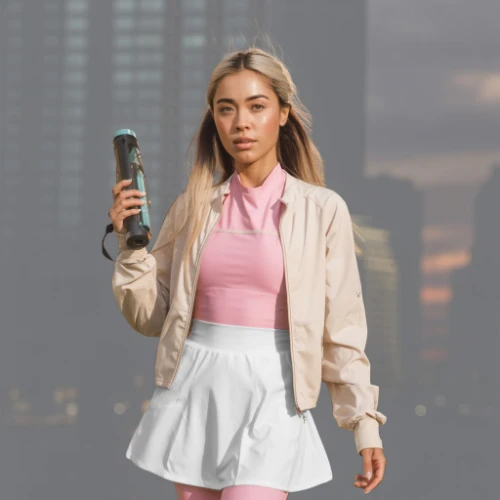
Original Image

Change the clothes to sports
Generated Results









Free Nano Banana Pro Online Editor with Gemini Technology
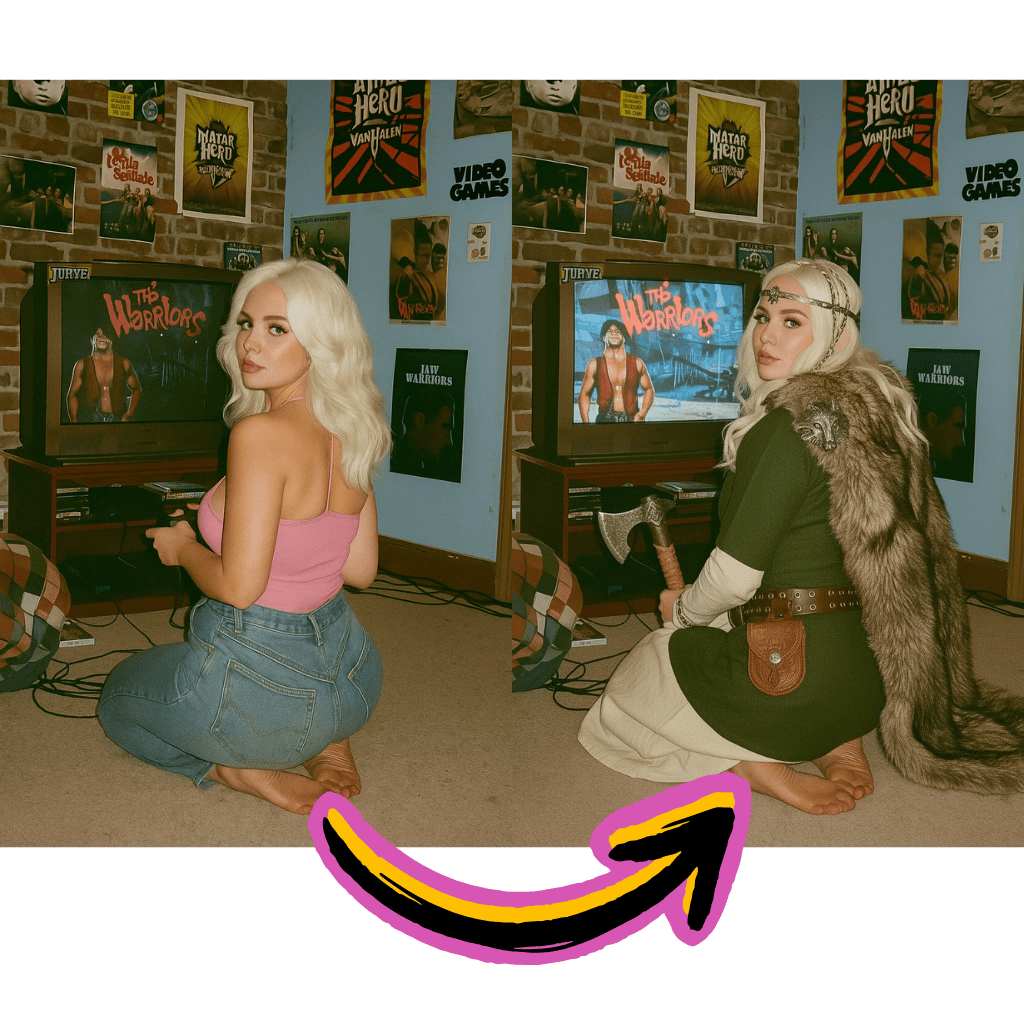
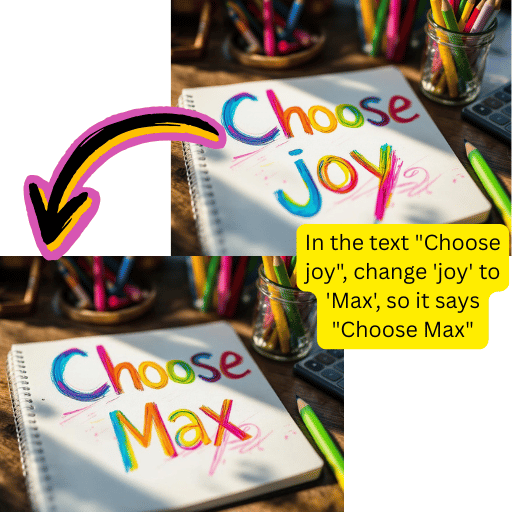
Text-Based Editing
Describe changes in plain language. The system interprets your intent and applies precise modifications.
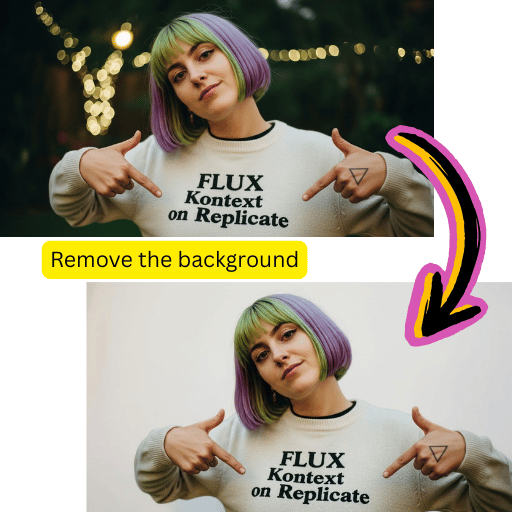
One-Click Background Removal
Extract subjects with precision. Export transparent PNG files or composite onto new scenes.
Smart Photo Enhancement
Auto-optimize lighting, colors, and sharpness while preserving natural appearance.
Key Benefits of Using Nano Banana Pro Editor
Professional capabilities without expensive subscriptions. Start creating immediately.
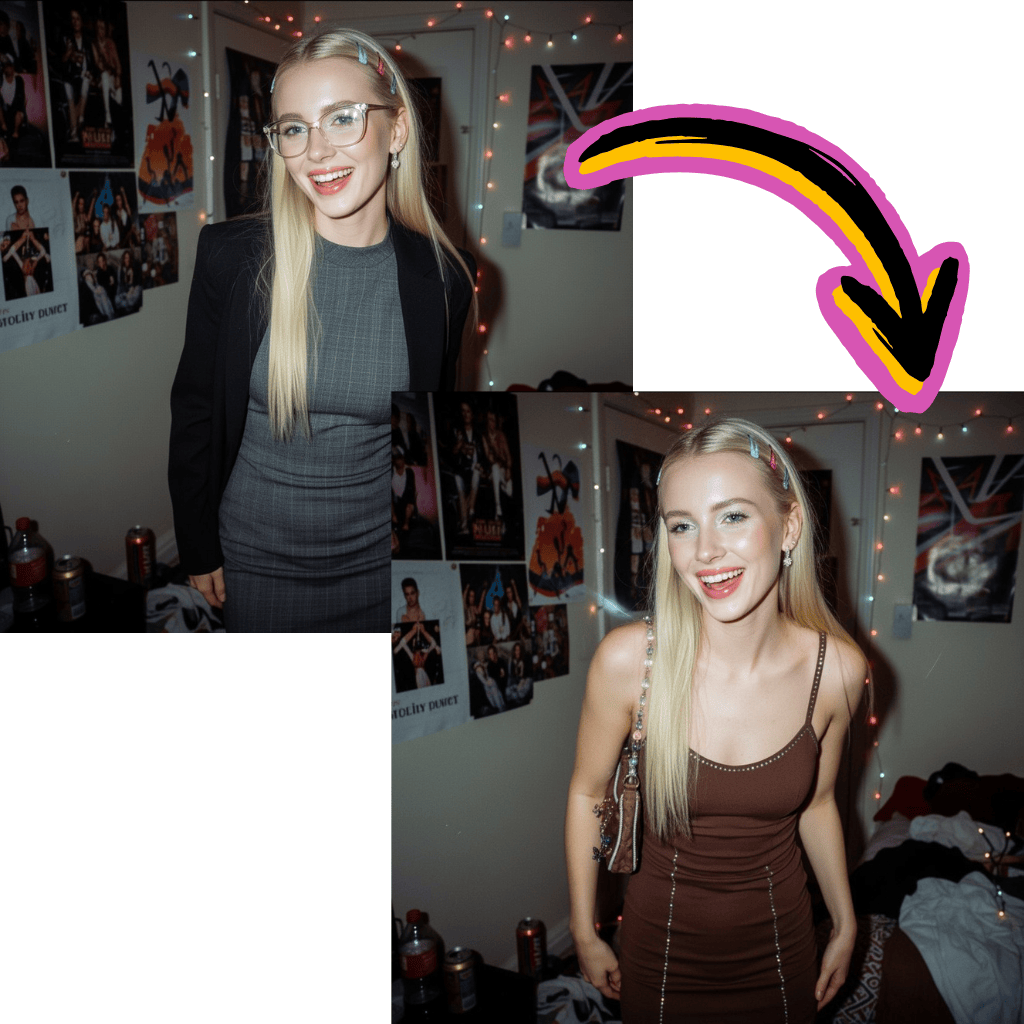
Zero Cost Entry
Begin editing without credit cards or signup walls. Complimentary credits included.
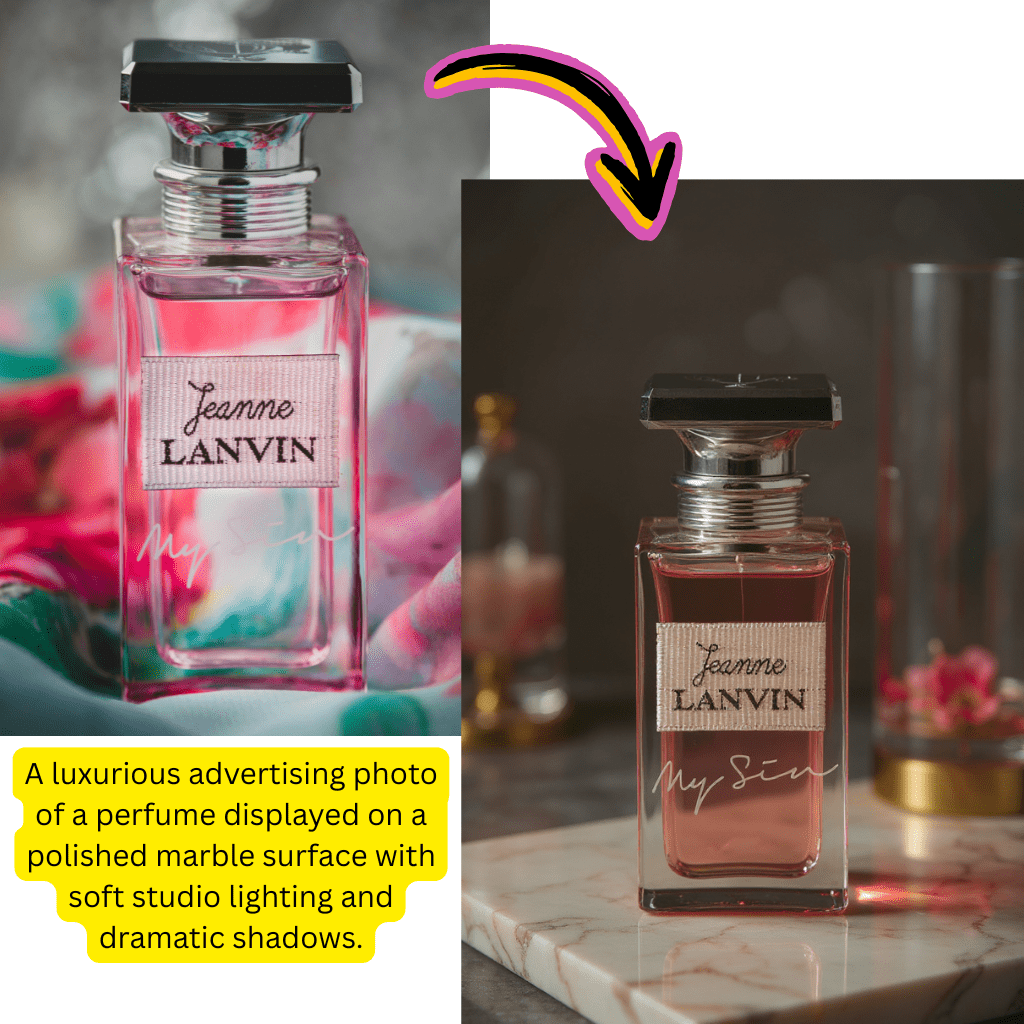
Gemini Pro Integration
Leverage Google's most advanced model for intelligent, context-aware modifications.
Complete Toolkit
Background removal, upscaling, format conversion, and retouching in one workspace.
Instant Processing
Get polished results within seconds. Ideal for rapid content creation workflows.
How to Use Nano Banana Pro in 4 Steps
Professional results without the learning curve. Follow this simple workflow.
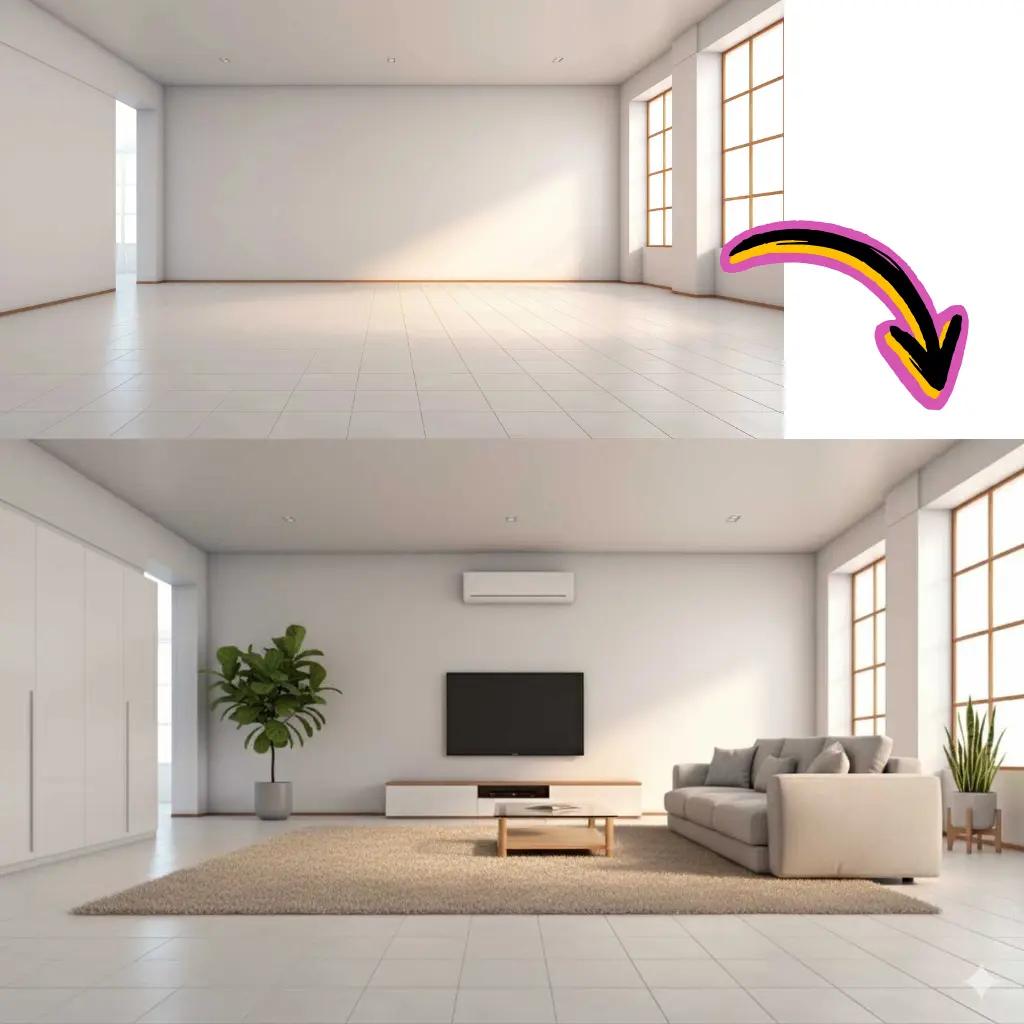
Upload Your Photo
Drag and drop or click to add your file.

Write Your Prompt
Describe the changes you want in natural language.
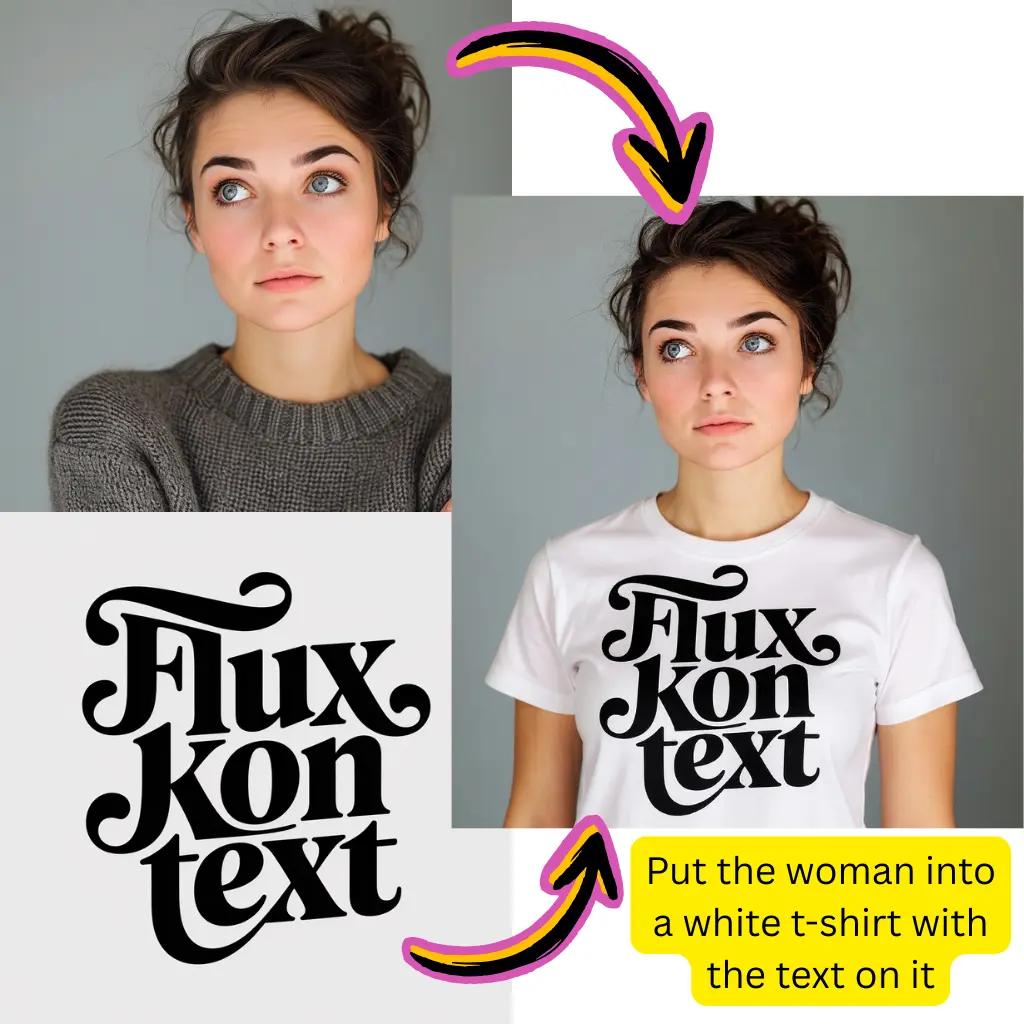
Generate Result
Let Gemini technology process your request.
Download Creation
Save your output in JPG, PNG, or WebP format.
Comprehensive Nano Banana Pro Features
Explore the full suite of tools available in this online workspace.
Nano Banana Pro Background Removal
Extract subjects precisely. Add new backdrops or save transparent files.
Auto Enhancement
Optimize exposure, contrast, and saturation with intelligent adjustments.
Portrait Retouching
Smooth skin and fix blemishes while keeping authentic textures.
Nano Banana Pro Color Correction
Fix white balance and apply professional grading automatically.
HD Upscaling
Enhance resolution and recover details from low-quality sources.
Format Conversion
Convert between JPG, PNG, WebP, and AVIF with optimized compression.
Nano Banana Pro Trusted by Creators Worldwide
Join our growing community of designers, marketers, and content creators.
Nano Banana Pro Active Users
1M+
Creators using our tools daily
Files Processed
50M+
Edits completed successfully
Available Models
10+
Premium options to choose
Tiramisu AI Pricing
Choose the perfect plan for your AI creation needs.
Lite
20% OffOnly $0.25/day
36,000 credits upfront =
- •Up to 7,200+ AI images
- •Up to 850+ AI videos
- •Average 20 AI images or 3 AI videos per day
All-in-one multi-model support
What's Included
- Text to Image
- Image to Image
- Text to Video
- Image to Video
- 10+ Basic AI Models
- Up to 1080p Resolution
- Basic Filters & Styles
- Standard Speed
- 12 Months Validity
- ✓Save $24/year
- ✓≈ Free 2.4 months
- ✓All credits upfront
$95.76 billed yearly
Pro
Only $0.38/day
90,000 credits upfront =
- •Up to 18,000+ AI images
- •Up to 2,142+ AI videos
- •50 AI images or 6 AI videos per day
All-in-one advanced AI suite
What's Included
- Text to Image
- Image to Image
- Text to Video
- Image to Video
- 20+ Advanced AI Models
- Up to 4K Resolution
- Priority Queue (2x faster)
- Advanced Filters Library
- Commercial License
- No Watermark
- Priority Support
- 12 Months Validity
- ✓Save $95.91/year
- ✓≈ Free 4.8 months
- ✓All credits upfront
$143.76 billed yearly
Max
50% OffOnly $1.1/day
360,000 credits upfront =
- •Up to 72,000+ AI images
- •Up to 8,571+ AI videos
- •200 AI images or 24 AI videos per day
Enterprise-grade AI creation platform
What's Included
- All Generation Types
- All AI Models + Beta Access
- Up to 8K Resolution
- Ultra Priority (5x faster)
- Batch Generation (50 images)
- Advanced Video Models
- Custom AI Training
- Dedicated Manager
- Full Commercial Rights
- 24/7 Premium Support
- 12 Months Validity
- ✓Save $419.76/year
- ✓≈ Free 6 months
- ✓All credits upfront
$419.76 billed yearly
Frequently Asked Questions About Nano Banana Pro
Everything you need to know about this editing tool.
Is Nano Banana Pro really free to use?
Yes, you can start editing completely free without creating an account. New users receive complimentary credits to explore all features including background removal, enhancement, and format conversion. Premium tiers are available for heavy users who need priority processing and higher resolution outputs.
What is Nano Banana Pro and how does it work?
This is an advanced editing tool powered by Google's Gemini technology. It uses natural language processing to understand your editing requests and applies intelligent modifications to your photos. Simply describe what you want changed, and the system interprets your intent to deliver professional results.
How does Nano Banana Pro compare to standard Gemini?
While standard Gemini handles general tasks, this specialized version is optimized specifically for visual editing workflows. It offers enhanced understanding of editing terminology, better preservation of photo quality, and faster processing speeds for visual transformations.
What makes Nano Banana Pro different from Higgsfield or Krea?
Unlike Higgsfield which focuses primarily on motion and Krea which emphasizes generation, this tool excels at precise photo editing with text instructions. It combines the natural language understanding of Gemini with specialized editing capabilities for tasks like background removal, retouching, and enhancement.
Can I use Nano Banana Pro for background removal?
Absolutely. Background removal is one of the most popular features. Upload your photo and the technology separates foreground from background automatically. You can download PNG files with transparency, replace backdrops with solid colors, or composite subjects onto entirely new scenes.
How does the Nano Banana Pro prompt system work?
Simply describe your desired changes in everyday language. For example, type 'remove the background and make it transparent' or 'enhance the lighting and fix the colors.' The Gemini-powered system interprets your request and applies appropriate modifications while preserving photo quality.
What file formats does Nano Banana Pro support?
We accept JPG, PNG, WebP, AVIF, and most common formats for upload. For output, you can download as JPG for smaller file sizes, PNG for transparency support, or WebP for optimized web use. The built-in converter handles AVIF to JPG and other format conversions seamlessly.
Is there an Nano Banana Pro API available for developers?
Yes, developers can integrate these capabilities into their own applications through our API. This enables automated workflows, batch processing at scale, and seamless integration with existing content management systems and e-commerce platforms.
How does Nano Banana Pro handle video creation?
While the primary focus is photo editing, our platform includes tools that can animate static files. Upload your content and transform it into short clips with natural motion for social media, presentations, and creative projects.
Can I upscale low-resolution photos with this Nano Banana Pro tool?
Yes, the HD upscaling feature enhances resolution while preserving fine details. Whether you have an old photograph, compressed web graphic, or small thumbnail, the upscaler reconstructs clarity and sharpness for print-ready output without introducing artifacts.
What is the difference between Nano Banana and Banana Pro?
These terms refer to different model variants within Google's ecosystem. The Pro version offers enhanced capabilities with better prompt understanding, higher quality outputs, and more sophisticated editing options compared to the standard version.
How does this Nano Banana Pro Ai image editor & generator compare to Google AI Studio?
While AI Studio provides broad access to Google's models for various tasks, this tool is specifically optimized for visual editing workflows. You get a streamlined interface designed for photo manipulation without needing to navigate the complexity of a general-purpose platform.
Can I use Nano Banana Pro with Stable Diffusion outputs?
Yes, you can upload and edit files generated by Stable Diffusion or any other source. Common workflows include enhancing generated outputs, fixing artifacts, adjusting colors, or combining multiple sources into cohesive compositions.
Is there a Whisk integration available on Nano Banana Pro?
Our platform supports integration with various workflows. You can use outputs from Whisk or similar tools as inputs here, and vice versa. This flexibility allows creators to build custom pipelines combining multiple specialized tools.
How fast is Nano Banana Pro processing speed?
Most edits complete within 5-30 seconds depending on complexity and the specific operation. Background removal typically finishes fastest, while advanced enhancements may take slightly longer. Premium users receive priority queue access for faster turnaround.
Do I need technical skills to use Nano Banana Pro?
Not at all. The interface is designed for everyone from beginners to professionals. Simply upload your file, describe what you want in plain language, and let the technology handle the complexity. Great results require no specialized knowledge.
What about Nano Banana Pro watermark removal capabilities?
Our inpainting and object removal tools can help clean up unwanted elements. The intelligent fill technology reconstructs areas naturally, blending seamlessly with surrounding content. This works for various cleanup tasks while preserving overall visual consistency.
Can I process multiple Nano Banana Pro files at once?
Batch processing allows you to edit several files with consistent settings. This is especially useful for product catalogs, social media content at scale, or applying uniform styling across collections. Upload multiple files and apply the same adjustments simultaneously.
How does text to image generation work with Nano Banana Pro?
Beyond editing existing photos, you can generate entirely new visuals from text descriptions. Describe your desired scene, style, and elements, and the system creates original content. This complements editing capabilities for comprehensive creative workflows.
Is my data secure when using Nano Banana Pro?
We process files on secure servers and don't retain uploads longer than necessary for the editing task. Your files aren't used for training purposes without explicit consent. For sensitive projects, premium plans offer additional privacy options and faster deletion schedules.
Can I use Nano Banana Pro results commercially?
Outputs created here are yours to use. Whether for marketing materials, product listings, social media content, or client projects, you retain rights to your edited creations. Check our terms for specific licensing details on model-specific outputs.
What resolution Nano Banana Pro outputs can I expect?
Standard outputs match your input resolution with enhanced quality. The upscaling feature can increase resolution up to 4x the original size. Premium tiers unlock even higher resolution outputs suitable for large format printing and professional production.
How do I get the best results with Nano Banana Pro prompts?
Be specific about your desired changes. Instead of 'make it better,' try 'increase brightness by 20%, enhance saturation, and sharpen details.' Include context like 'for Instagram post' or 'for product listing' to help the system optimize for your use case.
Is there a mobile Nano Banana Pro app available?
Nano Banana Pro tool is fully web-based and works great on mobile browsers without app downloads. Simply visit on your phone or tablet to access all features. This approach ensures you always have the latest capabilities without manual updates or storage concerns.
How does Nano Banana Pro handle portrait editing?
The system excels at portrait retouching with natural results. It can smooth skin, remove blemishes, adjust lighting, and enhance features while maintaining authentic textures. Unlike heavy filters, the output looks professional yet genuine.
Can I create transparent Nano Banana Pro PNG files?
Yes, after removing backgrounds you can export as PNG with full transparency support. This is ideal for logos, product photos, overlays, and any content that needs to be placed on different backgrounds later.
What is reverse image editing?
This refers to working backwards from a desired result. You can upload an example of the style you want and ask the system to apply similar characteristics to your source photo. It's a powerful way to achieve consistent aesthetics across multiple files.
How do I change specific colors in my photo with Nano Banana Pro?
Describe the color change you want, such as 'change the red shirt to blue' or 'make the sky more golden.' The system identifies the relevant areas and applies targeted modifications while leaving other elements unchanged.
Can Nano Banana Pro fix blurry photos?
The enhancement tools can improve sharpness and clarity for moderately blurry photos. While it cannot fully recover severely degraded content, it effectively enhances focus, reduces noise, and recovers details in most cases.
Is there support for RAW file formats by Nano Banana Pro?
Currently the tool works best with standard formats like JPG, PNG, and WebP. For RAW files, we recommend converting to a supported format first using your preferred photo software, then uploading for editing here.
Ready to Transform Your Photos with Nano Banana Pro?
Start creating stunning visuals today. No signup required.