


Flux.2 AI Image Generator Inspiration Gallery
Explore stunning creations from our community. Click any visual to view the prompt and recreate similar results with Flux models.
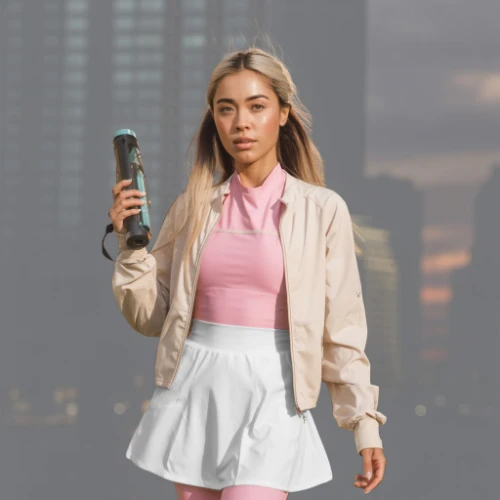
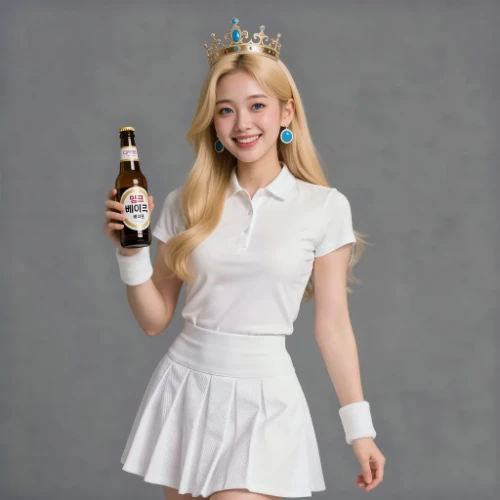
Comparison of Tiramisu AI Image to Image Models
Original Image
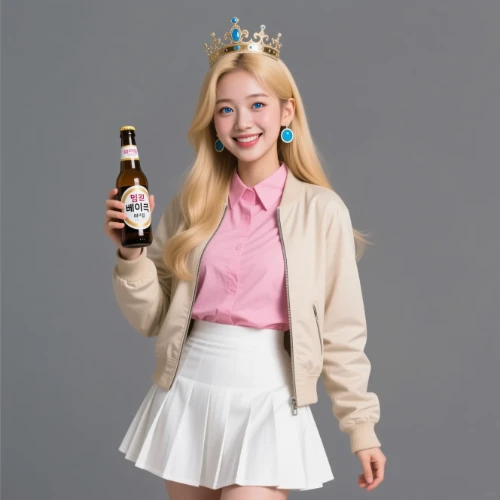
Change the clothes to sports
Generated Results
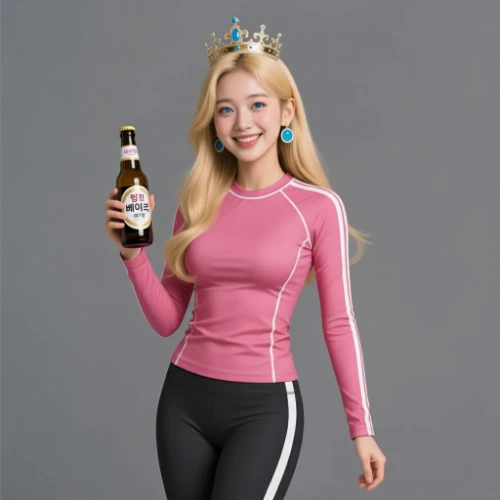
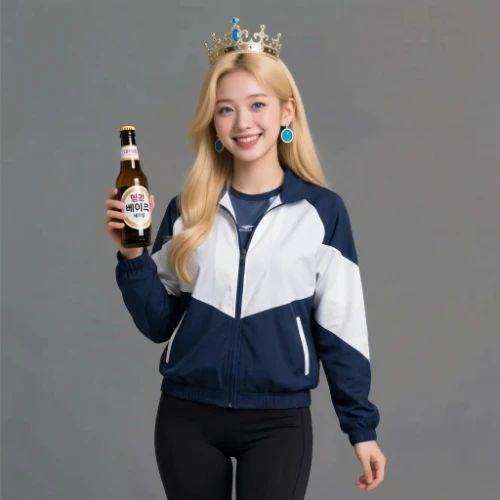


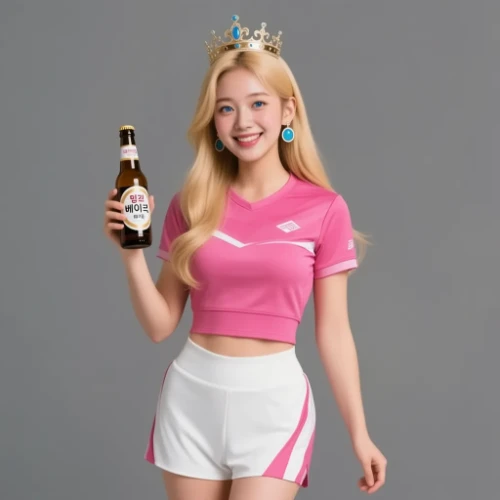



Create Visuals with Flux.2 AI Image Generator
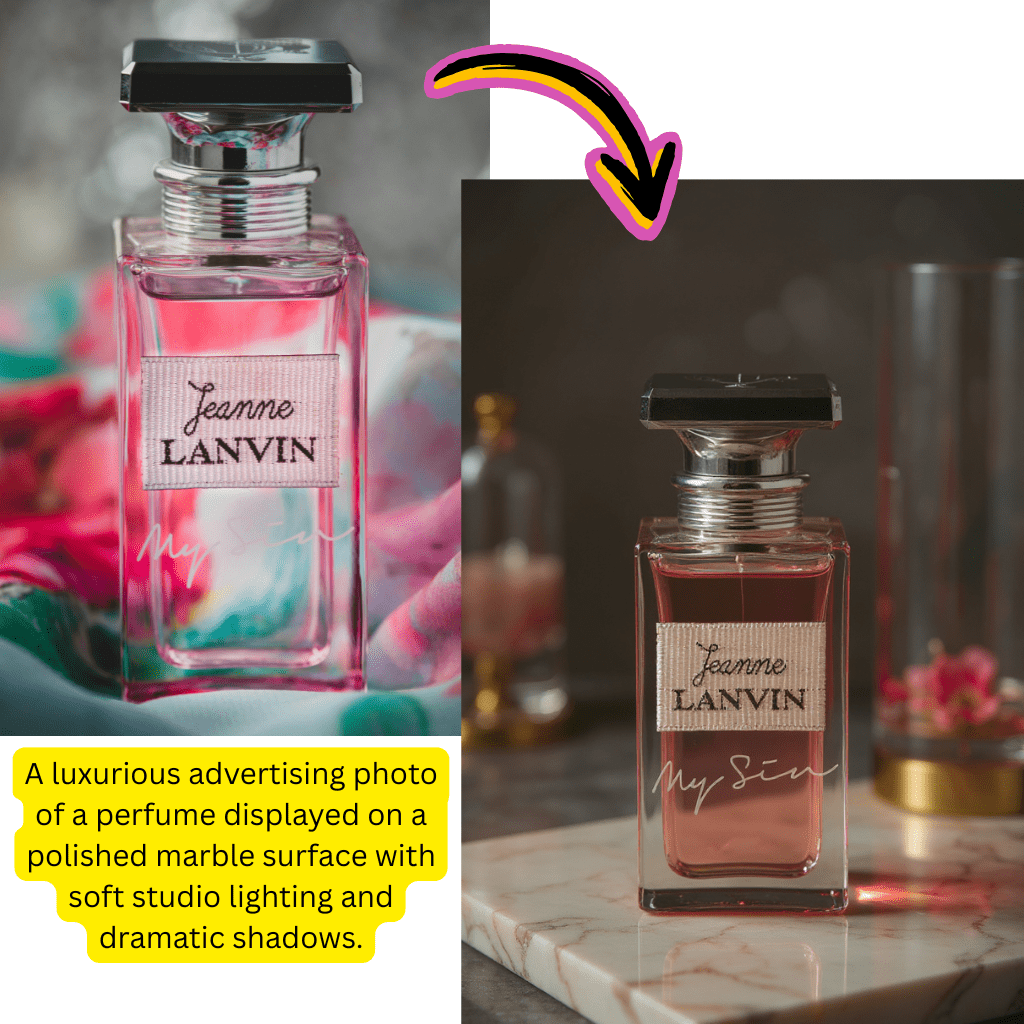
text to image Creation
Transform written descriptions into stunning visuals. Describe your concept and watch it materialize instantly.
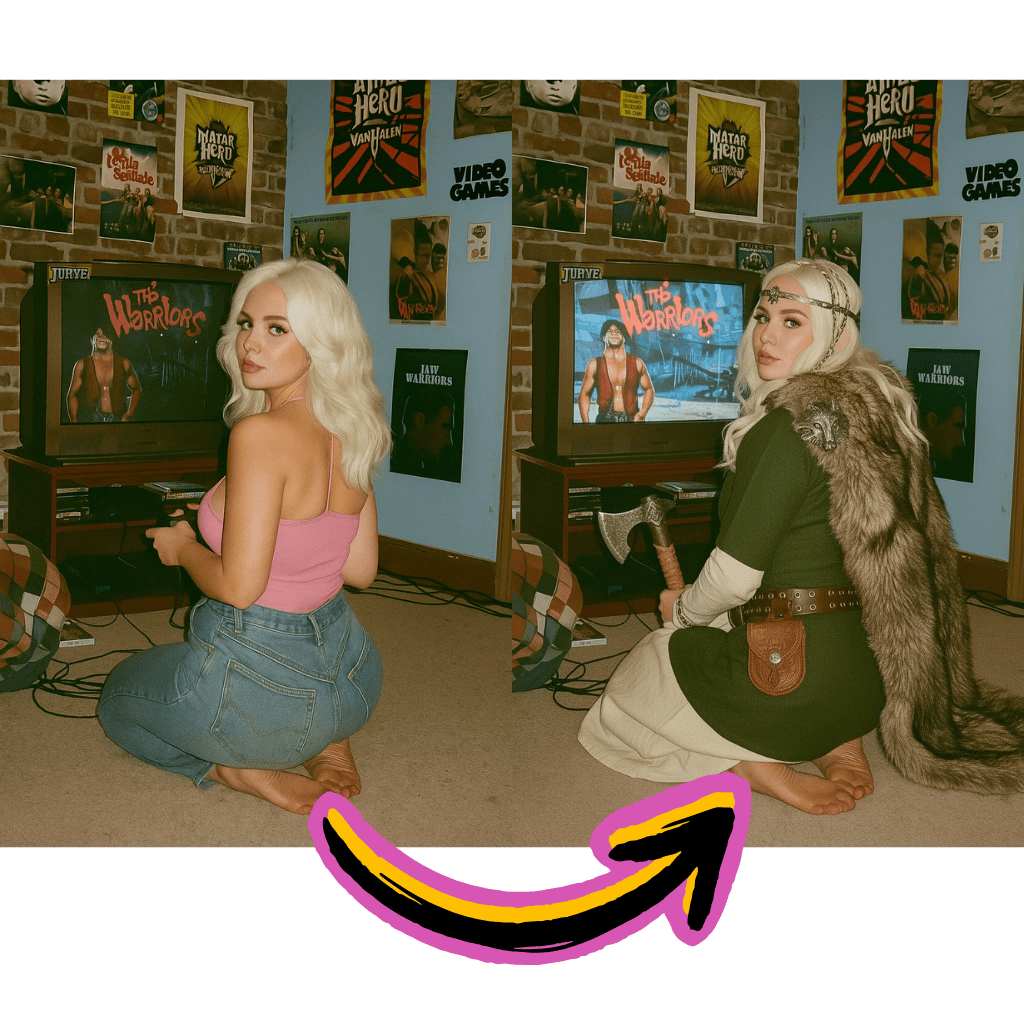
image to image Editing
Upload existing photos and apply creative transformations. Restyle, enhance, or completely reimagine your content.
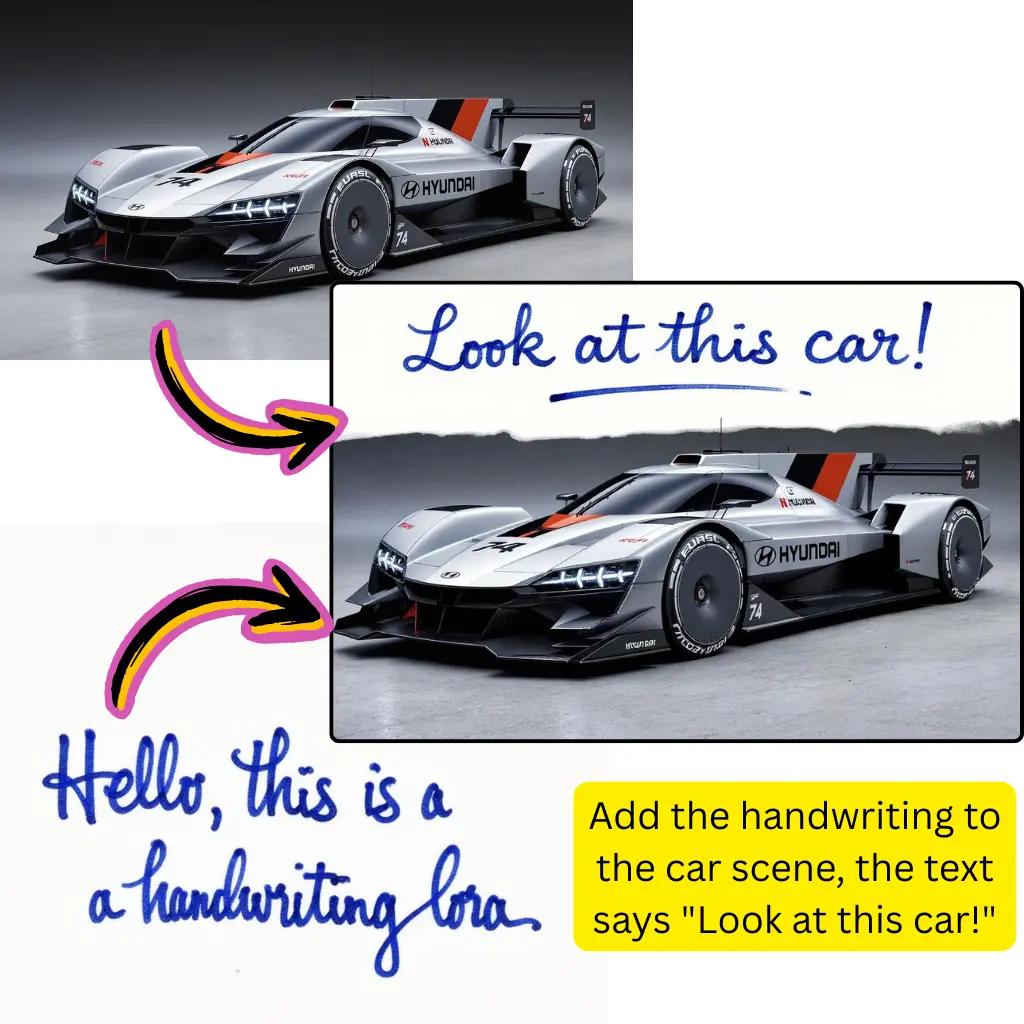
LoRA Fine-Tuning Support
Apply custom LoRA models for specialized styles. Perfect for consistent branding and unique aesthetics.
Benefits of Flux.2 AI Image Generator
Access professional-grade creative tools without complex installations or expensive subscriptions.

Free to Start
Begin creating without payment. No signup walls or hidden fees required.
Multiple Model Options
Choose from Flux Pro, Dev, Schnell, and Klein variants. Each optimized for different use cases.
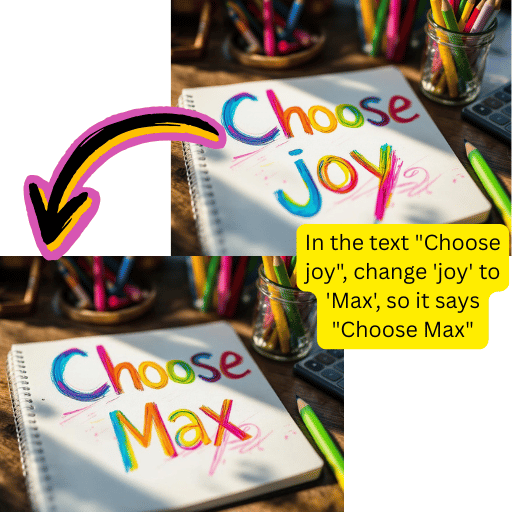
ComfyUI Compatible
Export workflows to ComfyUI for advanced customization. Seamless integration with popular tools.
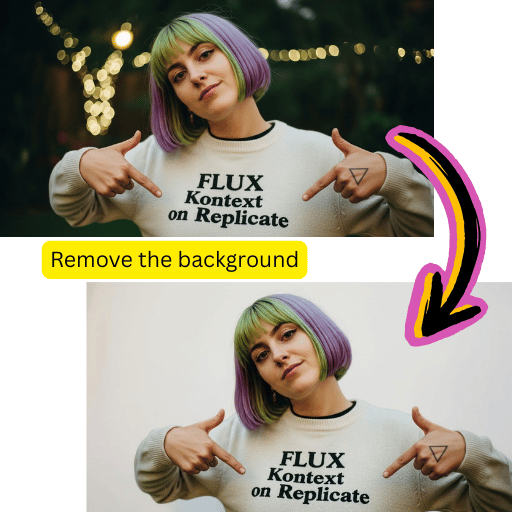
Lightning Fast Results
Get polished outputs within seconds. Schnell mode delivers ultra-rapid generation.
Simple Steps for Flux.2 AI Image Generator
Create professional visuals in minutes with our streamlined workflow.
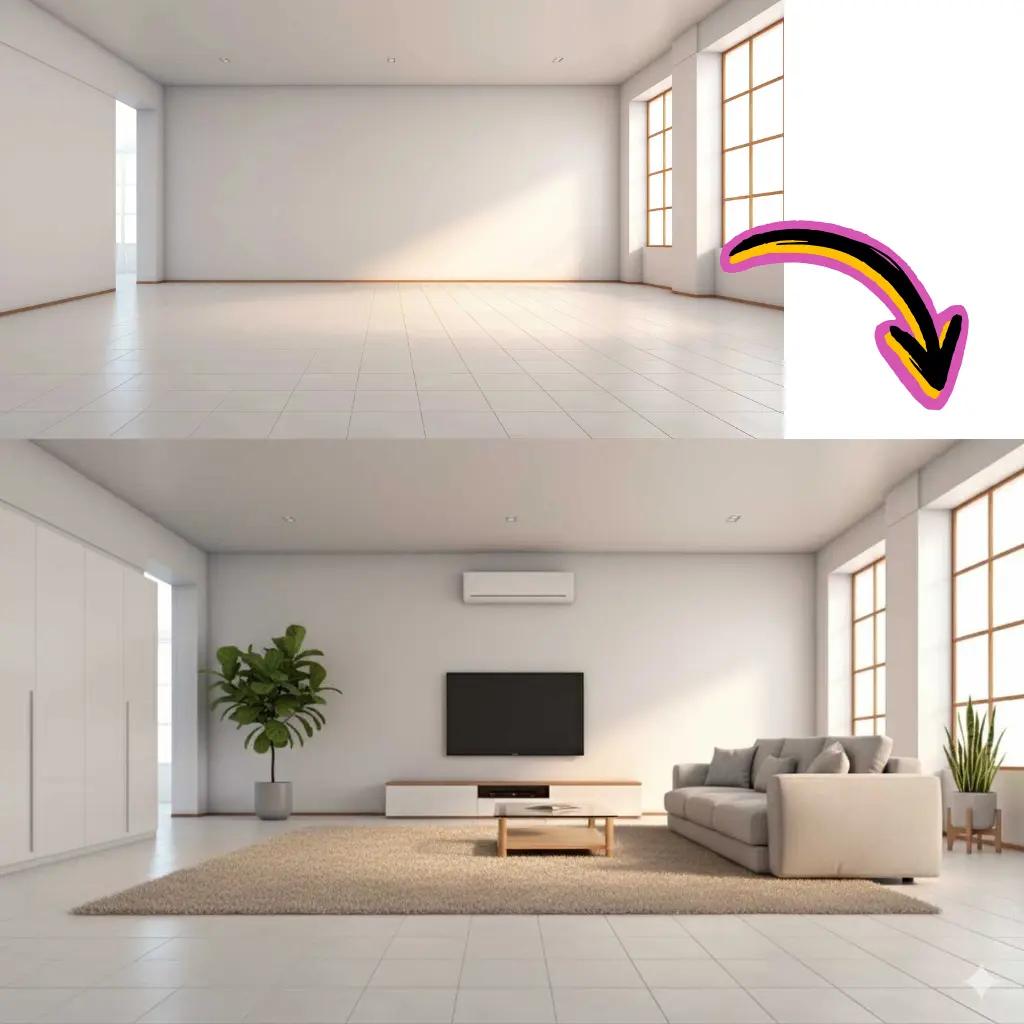
Enter Your Prompt
Describe what you want to create in natural language.

Select Your Model
Choose Pro, Dev, Schnell, or Klein based on your needs.
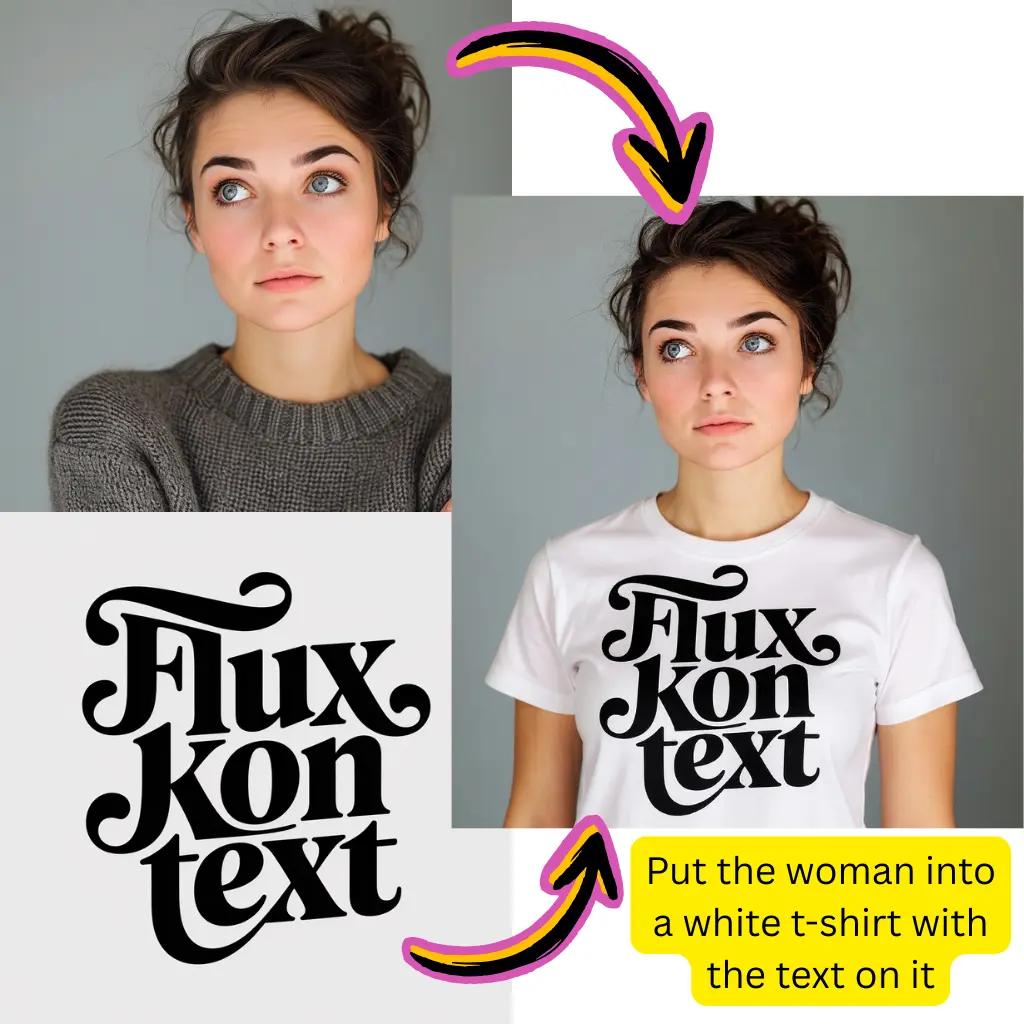
Generate Content
Click create and watch your vision come to life.
Download Result
Save your creation in preferred format instantly.
Comprehensive Flux.2 AI Image Generator Capabilities
Explore the full suite of creative tools available through Black Forest Labs technology.
Flux Pro Mode
Maximum quality output for professional projects. Ideal for commercial and print-ready content.
Flux Dev Mode
Balanced performance for everyday creative work. Great for prototyping and exploration.
Flux Schnell
Ultra-fast generation for rapid iteration. Perfect when speed matters most.
Klein 9B Architecture
Compact model delivering impressive results with efficient resource usage.
Custom LoRA Support
Apply specialized fine-tuned models for unique styles and consistent characters.
HD Upscaling
Enhance resolution without losing details. Export print-quality visuals effortlessly.
Flux.2 AI Image Generator Trusted Worldwide
Join creators leveraging Black Forest Labs technology globally.
Active Users
500K+
Creators using Flux models daily
Creations
25M+
Visuals generated successfully
Model Variants
6+
Options including Pro, Dev, Klein
Tiramisu AI Pricing
Choose the perfect plan for your AI creation needs.
Lite
20% OffOnly $0.25/day
36,000 credits upfront =
- •Up to 7,200+ AI images
- •Up to 850+ AI videos
- •Average 20 AI images or 3 AI videos per day
All-in-one multi-model support
What's Included
- Text to Image
- Image to Image
- Text to Video
- Image to Video
- 10+ Basic AI Models
- Up to 1080p Resolution
- Basic Filters & Styles
- Standard Speed
- 12 Months Validity
- ✓Save $24/year
- ✓≈ Free 2.4 months
- ✓All credits upfront
$95.76 billed yearly
Pro
Only $0.38/day
90,000 credits upfront =
- •Up to 18,000+ AI images
- •Up to 2,142+ AI videos
- •50 AI images or 6 AI videos per day
All-in-one advanced AI suite
What's Included
- Text to Image
- Image to Image
- Text to Video
- Image to Video
- 20+ Advanced AI Models
- Up to 4K Resolution
- Priority Queue (2x faster)
- Advanced Filters Library
- Commercial License
- No Watermark
- Priority Support
- 12 Months Validity
- ✓Save $95.91/year
- ✓≈ Free 4.8 months
- ✓All credits upfront
$143.76 billed yearly
Max
50% OffOnly $1.1/day
360,000 credits upfront =
- •Up to 72,000+ AI images
- •Up to 8,571+ AI videos
- •200 AI images or 24 AI videos per day
Enterprise-grade AI creation platform
What's Included
- All Generation Types
- All AI Models + Beta Access
- Up to 8K Resolution
- Ultra Priority (5x faster)
- Batch Generation (50 images)
- Advanced Video Models
- Custom AI Training
- Dedicated Manager
- Full Commercial Rights
- 24/7 Premium Support
- 12 Months Validity
- ✓Save $419.76/year
- ✓≈ Free 6 months
- ✓All credits upfront
$419.76 billed yearly
Frequently Asked Questions About Flux.2 AI Image Generator
Everything you need to know about creating with Black Forest Labs technology.
What is Flux.2 AI Image Generator and how does it work?
Flux.2 is a state-of-the-art text to image system developed by Black Forest Labs. It uses advanced diffusion technology to transform written descriptions into high-quality visuals. The platform supports multiple modes including Pro for maximum quality, Dev for balanced performance, and Schnell for rapid generation. Simply enter a text prompt describing your desired output, select your preferred model variant, and the system generates matching visuals within seconds.
What are the differences between Flux Pro, Dev, and Schnell in Flux.2 AI Image Generator?
Each variant serves different needs. Flux Pro delivers maximum quality with enhanced detail and coherence, ideal for professional and commercial projects. Flux Dev offers balanced performance suitable for everyday creative work, prototyping, and exploration. Flux Schnell prioritizes speed, generating outputs in just a few seconds for rapid iteration. Klein 9B provides a compact option with impressive results using fewer computational resources.
Is Flux.2 AI Image Generator free to use online?
Yes, you can start creating without any payment. Our platform offers complimentary credits for new users to explore all features. Premium tiers unlock additional processing power, priority queues, higher resolution outputs, and access to advanced features for professional workflows.
How do I use LoRA models with Flux.2 AI Image Generator?
LoRA (Low-Rank Adaptation) models allow fine-tuned customization for specific styles, characters, or aesthetics. Upload compatible LoRA files through our interface or select from community-shared options. Apply them alongside your prompts to achieve consistent stylistic results. This feature works particularly well for branding, character consistency, and specialized artistic directions.
Can I use Flux.2 AI Image Generator with ComfyUI?
Absolutely. Our platform integrates seamlessly with ComfyUI workflows. You can export generation settings, use compatible model files like flux2-vae.safetensors, and build custom pipelines. Many users combine our online interface for quick generation with ComfyUI for advanced node-based customization and batch processing.
How does Flux.2 AI Image Generator compare to Stable Diffusion?
Both are powerful diffusion-based systems with distinct characteristics. Flux.2 often excels at prompt adherence, text rendering within visuals, and coherent compositions. Stable Diffusion offers extensive community resources and longer-established ecosystem. Many creators use both depending on project requirements. Our platform lets you explore Flux capabilities without complex local setup.
What file formats does Flux.2 AI Image Generator support?
For input with image to image workflows, we accept JPG, PNG, WebP, AVIF, and most common formats. Outputs can be downloaded as high-quality JPG, PNG with transparency support, or WebP for optimized web usage. Built-in conversion handles format changes seamlessly.
Can Flux.2 AI Image Generator create images from other images?
Yes, beyond text to image generation, Flux.2 supports image to image transformations. Upload an existing photo or visual, provide a text prompt describing desired changes, and the system applies modifications while respecting your source composition. This works great for style transfer, enhancement, and creative reimagining.
How fast is Flux.2 AI Image Generator processing?
Speed varies by model selection. Schnell mode generates outputs in approximately 2-5 seconds. Dev mode typically completes within 10-20 seconds. Pro mode, delivering maximum quality, may take 20-45 seconds depending on complexity. Our infrastructure optimizes queue management for minimal waiting.
Is Flux.2 AI Image Generator suitable for commercial use?
Outputs created on our platform are yours to use commercially. Whether for marketing materials, product listings, social media content, or client projects, you retain rights to your creations. Review our terms for specific licensing details regarding model-specific outputs and commercial applications.
What is Klein 9B in Flux.2 AI Image Generator?
Klein 9B is a compact architecture variant within the Flux family. It delivers impressive visual quality while requiring fewer computational resources. This makes it accessible on lower-powered hardware and provides faster processing. Despite its efficiency, Klein produces remarkably coherent and detailed outputs suitable for many creative applications.
Can Flux.2 AI Image Generator render text in images accurately?
Text rendering is a notable strength of Flux technology. Unlike many alternatives that struggle with legible text, Flux.2 can generate readable words, signs, and typography within compositions. While not perfect for all scenarios, it significantly outperforms previous generation models at incorporating text elements naturally.
How do I get better results from Flux.2 AI Image Generator?
Craft detailed, descriptive prompts specifying subject, style, lighting, composition, and mood. Use specific artistic references like 'oil painting style' or 'cinematic lighting.' Experiment with different model variants—Pro for quality, Schnell for quick iterations. Apply relevant LoRA models for consistent aesthetics. Start broad, then refine based on initial outputs.
Does Flux.2 AI Image Generator support batch processing?
Yes, our platform allows generating multiple variations from a single prompt and processing several prompts in sequence. This is valuable for exploring different interpretations, creating content at scale, or producing consistent series. Premium tiers offer enhanced batch capabilities with parallel processing.
What is the maximum resolution for Flux.2 AI Image Generator outputs?
Standard outputs are optimized for web and screen usage. Premium tiers unlock higher resolution generation suitable for print applications. Combined with our HD upscaling feature, you can produce large-format visuals maintaining crisp detail and clarity for professional printing needs.
How does Flux.2 AI Image Generator handle different aspect ratios?
Multiple aspect ratio presets are available including square (1:1), landscape (16:9, 3:2), and portrait (9:16, 2:3) orientations. Select your desired ratio before generation to get properly composed outputs without awkward cropping or stretching. Custom ratios may be available in advanced settings.
Can I use Flux.2 AI Image Generator offline?
Our online platform requires internet connectivity. However, model weights can be downloaded for local use with compatible software like ComfyUI. Local deployment requires appropriate hardware, particularly sufficient VRAM for larger model variants. Our online service eliminates hardware requirements.
What makes Black Forest Labs technology in Flux.2 AI Image Generator special?
Black Forest Labs, founded by key researchers behind previous breakthrough models, designed Flux with emphasis on prompt faithfulness, coherent compositions, and versatile stylistic range. The architecture innovations enable superior text rendering, better anatomical accuracy, and more reliable interpretation of complex prompts compared to many alternatives.
Is there content moderation on Flux.2 AI Image Generator?
We support broad creative expression while maintaining responsible usage guidelines. The platform accommodates artistic, commercial, and experimental projects. Certain restricted categories exist to ensure ethical use, but most creative and professional applications are fully supported within our community standards.
How do I download and save Flux.2 AI Image Generator outputs?
After generation completes, click the download button to save your creation. Choose your preferred format from available options. Generated visuals remain in your account history for later access. Premium users enjoy extended storage and organizational features for managing larger creative libraries.
Ready to Create with Flux.2 Technology?
Start generating professional visuals today. No credit card required.