


GPT Image 2.0 Inspiration Gallery
Sample prompts and outputs to copy, remix and reuse in your own jobs.
What Is GPT Image 2.0?
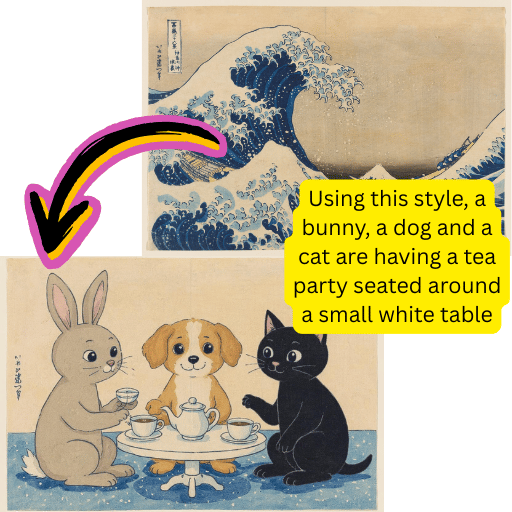
Native 4K renders
Pick 1K, 2K or 4K. The 1:1 ratio caps at 2K and auto caps at 1K — every other ratio can hit 4K.
Readable text inside the frame
Headlines, UI labels and brand wordmarks come out legible the first time, with far fewer typo retries.
16 reference photos per edit
Reference mode takes up to 16 source pictures, so you can lock in a character, outfit or layout across a batch.
GPT Image 2.0 Specs at a Glance
The numbers that matter when you're picking a visual model.
Max resolution
4K
Up to 4096px on the long edge.
Reference photos
16
Per job, in reference editing mode.
Aspect ratios
6
auto, 1:1, 9:16, 16:9, 4:3 and 3:4.
Prompt length
20K
Up to 20,000 characters per prompt.
Why Pick GPT Image 2.0 Over Older Releases
GPT Image 2.0 keeps the OpenAI typography you already trust and adds 4K output, larger reference batches and tighter prompt adherence.
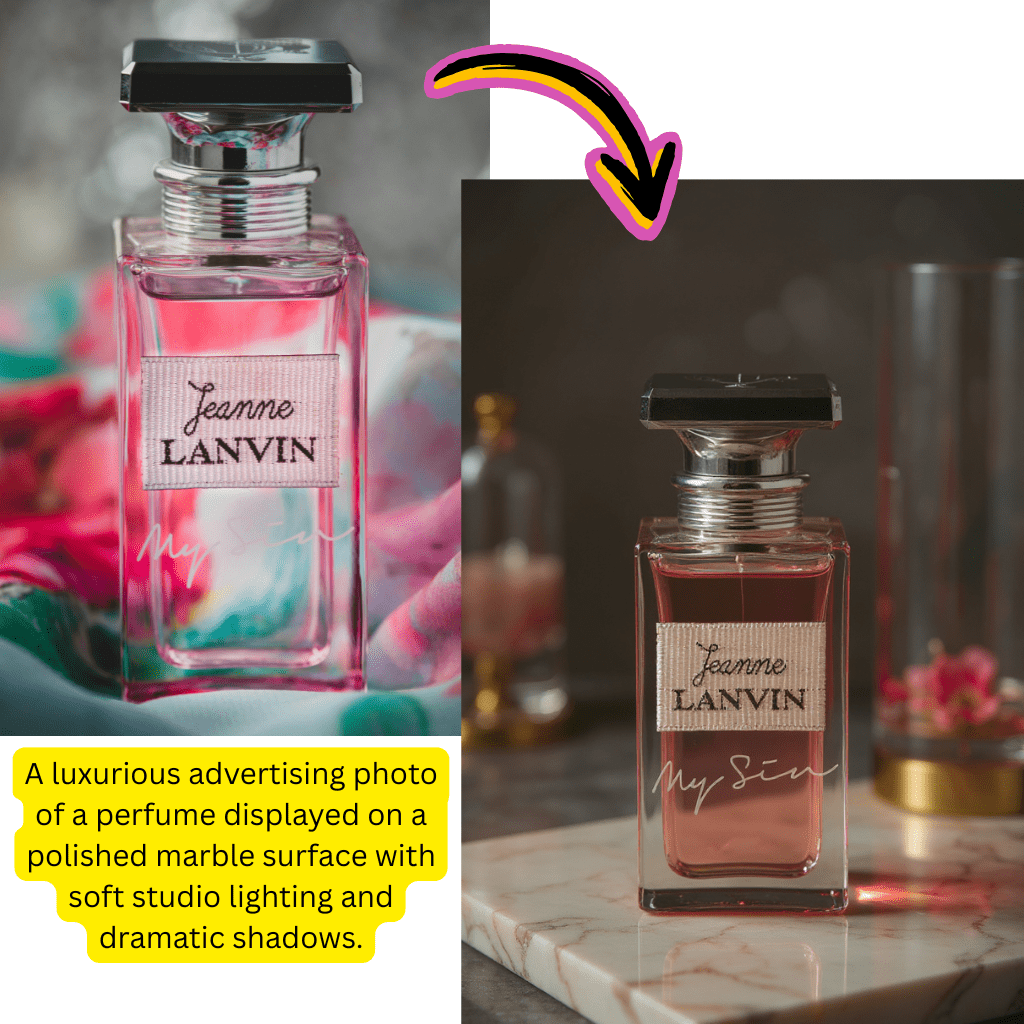
Print-ready 4K output
Render up to 4096px on the long edge — fine for posters, ads and hero shots without a separate upscaler step.
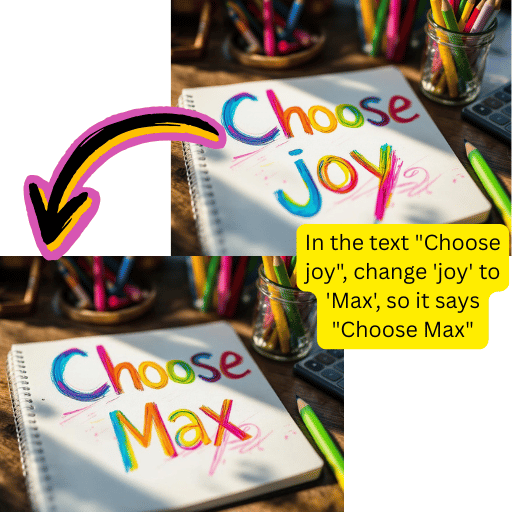
Reliable wordmark rendering
Headlines, UI labels and short paragraphs come out clean, so you stop redoing the same poster five times.
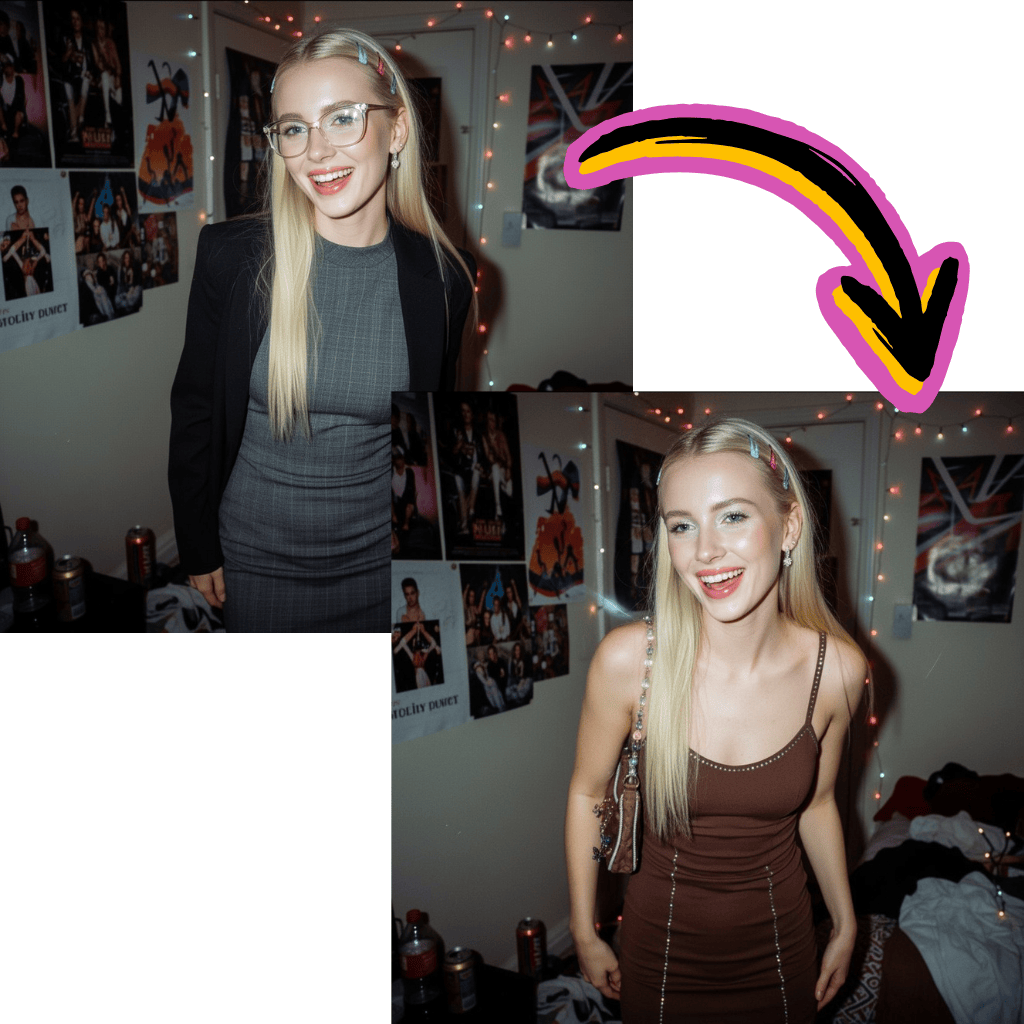
Up to 16 source photos
Reference editing accepts a much wider stack than the 1.5 release. Brand consistency and pose locking become realistic.
Predictable credits
Flat per-resolution cost. No hidden per-token billing and no surprise overage on long prompts.
How to Use GPT Image 2.0 in 3 Steps
Two ways in: describe what you want from scratch, or upload references and ask for an edit.
1. Pick a mode
Use prompt mode for fresh art. Switch to reference mode to upload up to 16 source photos.
2. Set ratio and resolution
Choose auto, 1:1, 9:16, 16:9, 4:3 or 3:4. Resolution tiers are 1K, 2K and 4K.
3. Hit generate
Wait for the job to finish, then download the file or push the result into another tool on Kie.
What GPT Image 2.0 Can Actually Do
A short tour of the features that ship today, pulled straight from the Kie API spec.
Prompt-driven art
Single-prompt creation with up to 20,000 characters of brief context.
Reference editing
Up to 16 source photos plus a prompt. Use it for edits, style transfer and variant batches.
Six aspect ratios
auto, 1:1, 9:16, 16:9, 4:3 and 3:4 — pick the one that fits the channel.
1K / 2K / 4K resolutions
Three tiers. The 1:1 ratio is capped at 2K and auto is capped at 1K.
Async job model
Submit a task, poll for completion and grab the URL — same flow as every other model on Kie.
Webhook-friendly
Optional callback URL on every job, so a backend can react the moment a render is ready.


GPT Image 2.0 FAQ
What exactly is GPT Image 2.0 from OpenAI?
It's the successor to the 1.5 release — a fresh visual model that pushes resolution up to 4K, fixes most in-frame typo issues, and accepts up to 16 source photos for reference editing in one job. On this page it runs through Kie credits, so you don't need a personal OpenAI API key to try it.
How is GPT Image 2.0 different from the older GPT Image release?
The older release topped out around 2K and struggled with long words inside the frame. The new model hits 4K on the long edge, lays out wordmarks and short paragraphs cleanly, and lets you stack 16 references instead of just a few. Most teams notice the win first on posters and product mockups.
How do I use GPT Image 2.0 to edit a photo I already have?
Switch to reference mode in the panel above, drop in up to 16 source pictures, then describe the change you want. The model will keep the layout and identity cues you give it and apply your edit. Re-uploading the previous result as a reference is a good way to iterate.
Is there a free way to try GPT Image 2.0 without an OpenAI API key?
Yes. This page wraps the model behind Kie credits, so you can run a render without touching the OpenAI API directly. New accounts ship with a small free balance to test before you commit, which is handy if you just want to compare it against another AI image generator.
Why is my GPT Image 2.0 output only 1K when I asked for 4K?
Two limits: auto aspect ratio is capped at 1K, and the 1:1 ratio is capped at 2K. To unlock the full 4K render, pick a non-square ratio like 9:16, 16:9, 4:3 or 3:4 and then choose 4K in the resolution selector.
Can GPT Image 2.0 reliably render readable text inside a picture?
Yes — that's one of the headline upgrades. Headlines, UI labels, brand wordmarks and short paragraphs land cleanly the first time, so you don't burn renders fixing typos. Long paragraphs of body copy are still risky, so keep blocks of text short for best results.
How many reference photos does GPT Image 2.0 accept per job?
Up to 16 in reference mode. That gap matters: it lets you lock a character, outfit or product across many shots in a single batch instead of redoing the prompt for every variant. It also helps when you need a consistent brand look across a campaign.
Is GPT Image 2.0 better than the picture option built into ChatGPT?
ChatGPT uses a related family of models, but on this page you get direct control over aspect ratio, resolution and reference count. If you need a specific 4K size or precise reference editing, the standalone tool is more flexible than the chat experience.
How does GPT Image 2.0 compare to Nano Banana 2 and other AI image generators?
Nano Banana 2 leans into stylized art and quick character edits. The OpenAI model is stronger when you need crisp wordmarks, photoreal detail and a true 4K file. Plenty of teams keep both around and pick per job — try both with the same prompt to feel the gap.
Which aspect ratios does GPT Image 2.0 support?
Six in total: auto, 1:1, 9:16, 16:9, 4:3 and 3:4. Note again that 1:1 caps at 2K and auto caps at 1K, so pick a non-square ratio whenever you need a print-ready render.
Can I plug GPT Image 2.0 into my own app with webhooks?
Yes. The Kie job for this model accepts an optional callback URL. Submit the task, walk away, and your backend will get pinged the moment the render is ready — no polling required. The async flow is identical to every other model in the platform.
What kind of work is GPT Image 2.0 actually good for?
Posters, ads, social hero shots, product mockups, slide decks and storefront covers. Anywhere you need readable in-frame text, sharp 4K detail or a consistent character across many variants, this model holds up well — even against fast-moving rivals like Nano Banana.
Does GPT Image 2.0 handle long prompts cleanly?
It accepts up to 20,000 characters per prompt, which is more than almost anyone needs. Stick to clear, scene-first phrasing — describe subject, environment and mood in that order — and you'll get a closer match than padding the brief with adjectives.
Is GPT Image 2.0 a good free AI image editor with no sign-up?
You'll need a free Kie account to start, but no credit card and no OpenAI API setup. New accounts get a small credit balance, so you can run several renders, compare it against other tools, and decide whether to top up — all without any commitment.
Try GPT Image 2.0 Right Now
Drop a prompt or a reference photo into the panel above. No setup, no API key — GPT Image 2.0 runs on your existing Kie credits.