


GPT Image Generator Inspiration Gallery
Explore creative visuals made with ChatGPT. Click any result to view prompts and recreate similar outputs.
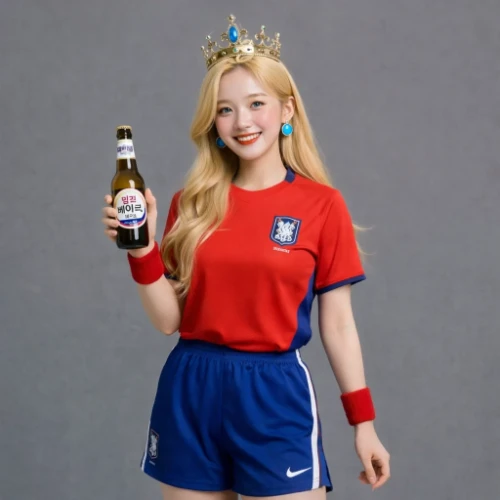
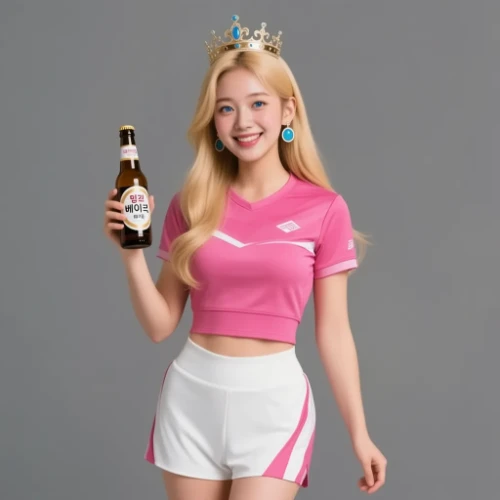
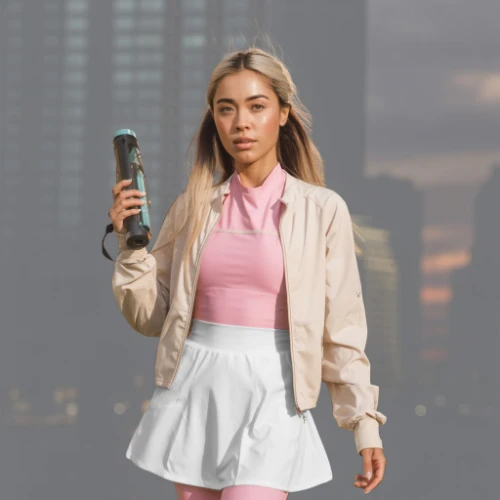
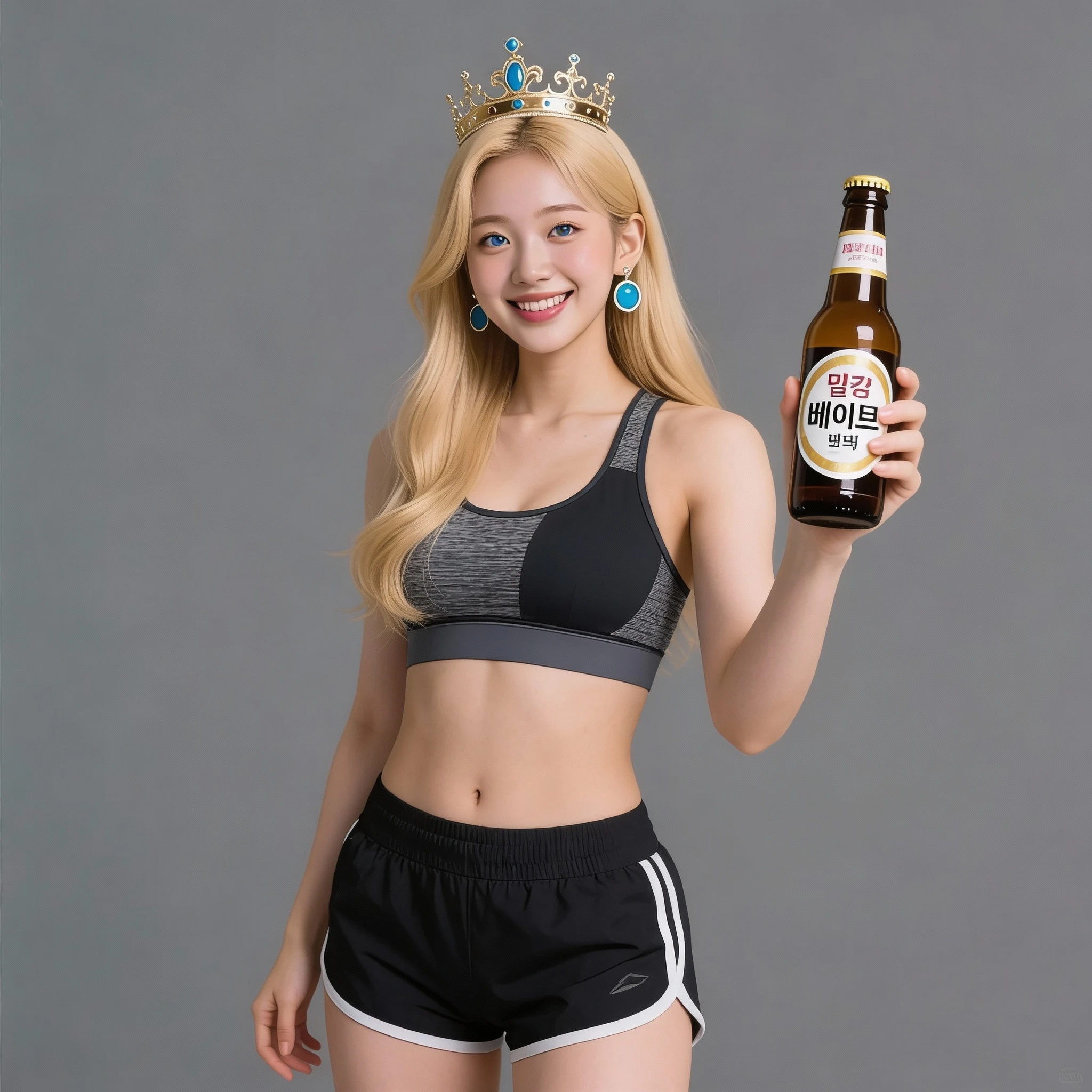
Comparison of Tiramisu AI Image to Image Models
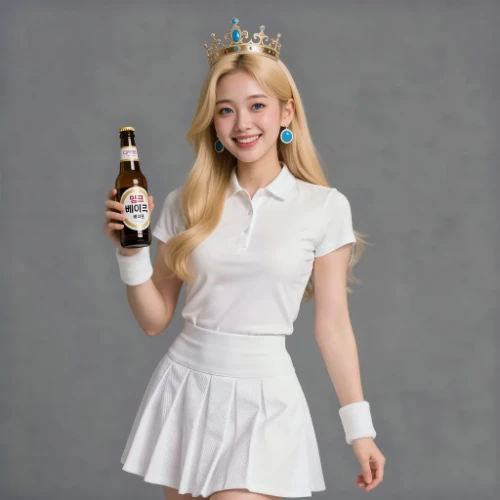
Original Image
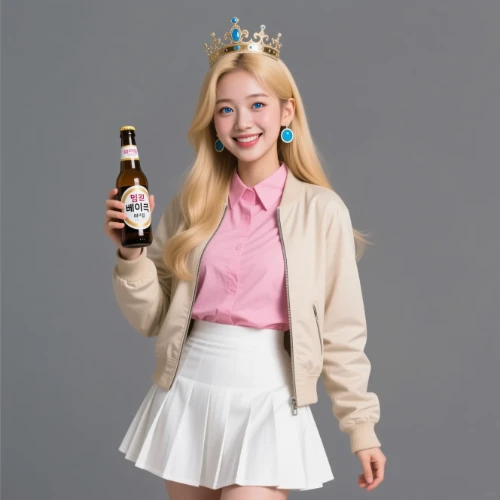
Change the clothes to sports
Generated Results
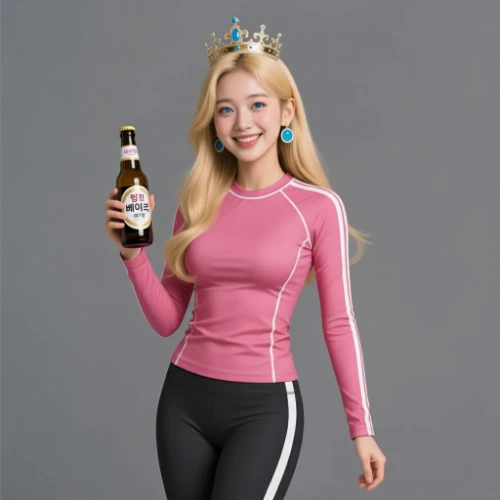
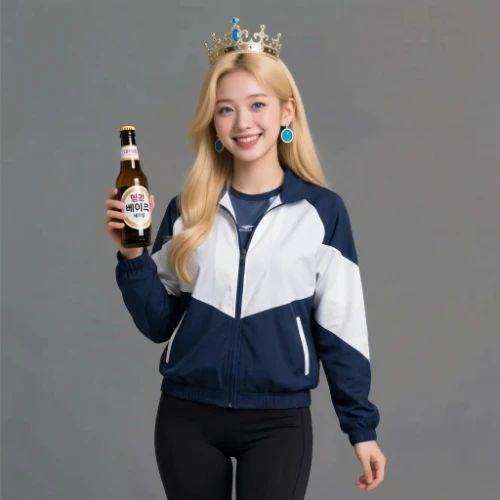
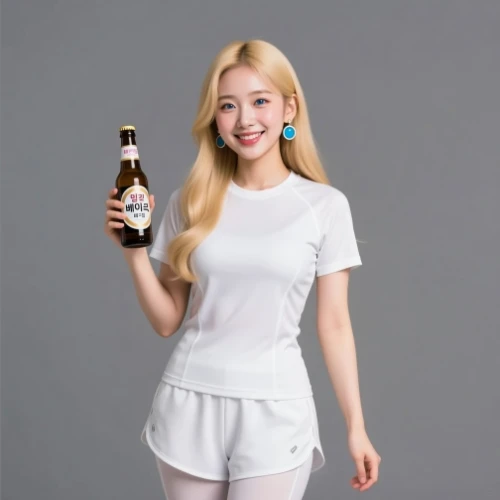


Create Visuals with GPT Image Generator
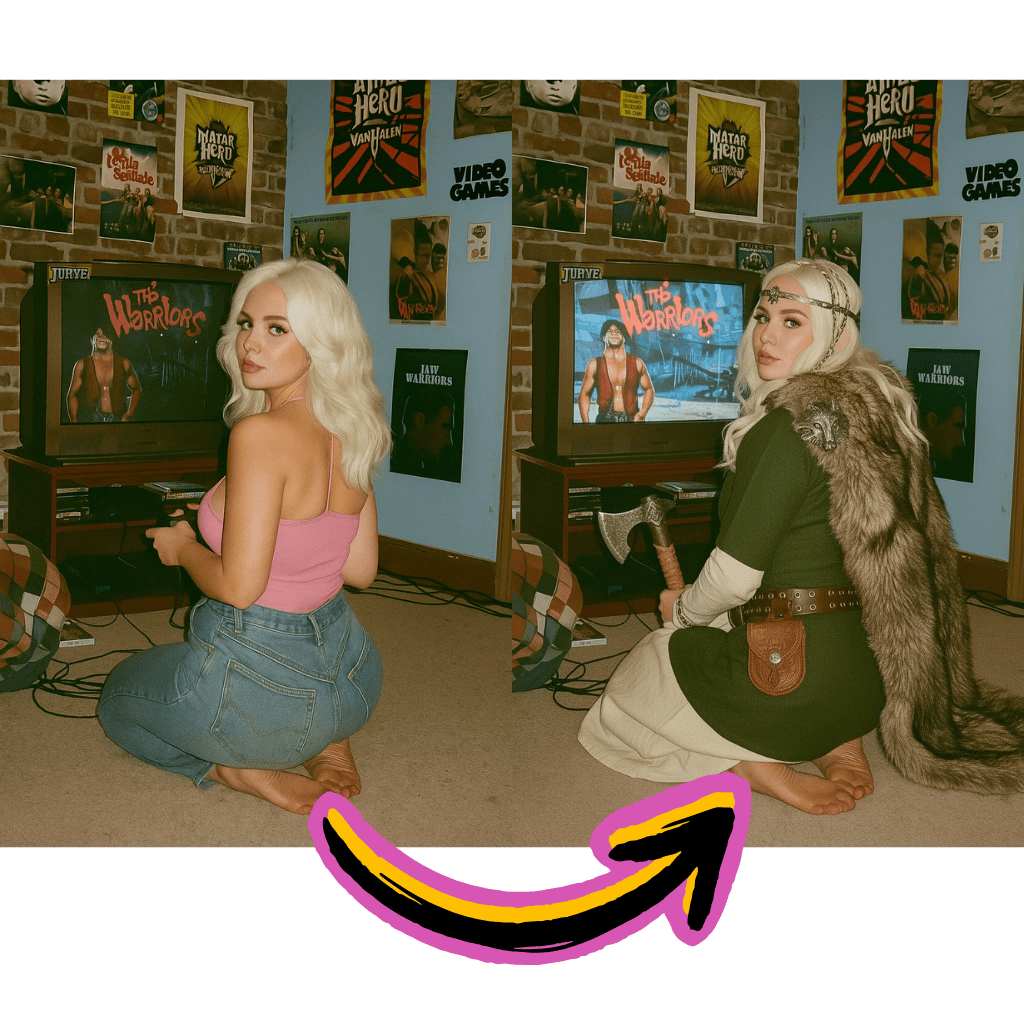
Chat-Based Creation
Describe what you want naturally. ChatGPT understands context and refines outputs through conversation.
Text Rendering Excellence
Generate visuals with accurate typography. Logos, posters, and graphics with readable text.
Photo Editing Built-In
Upload pictures and request changes. Remove objects, swap backgrounds, or restyle entirely.
Benefits of Using GPT Image Generator
Access OpenAI's visual creation technology without complex setups or subscriptions.
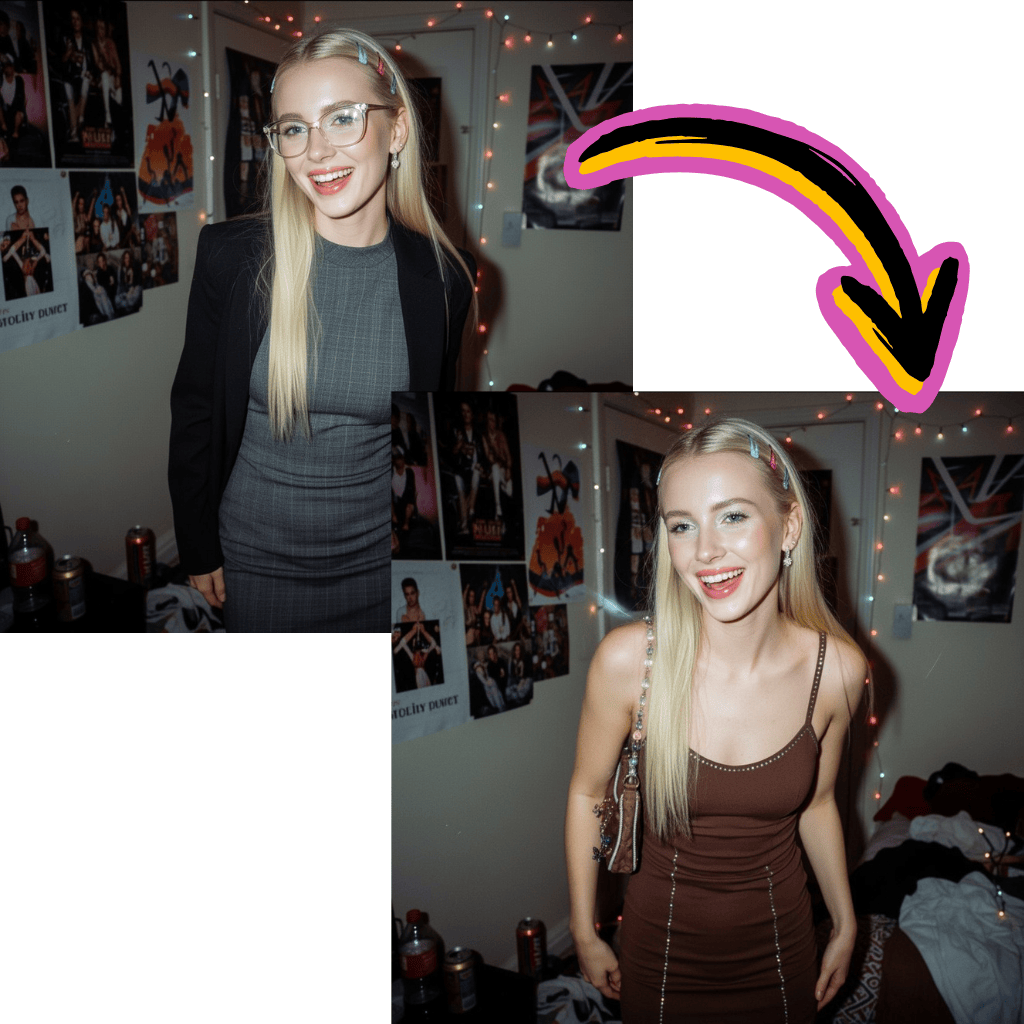
Free Access Available
Start creating without payment. Get complimentary credits to explore all features.
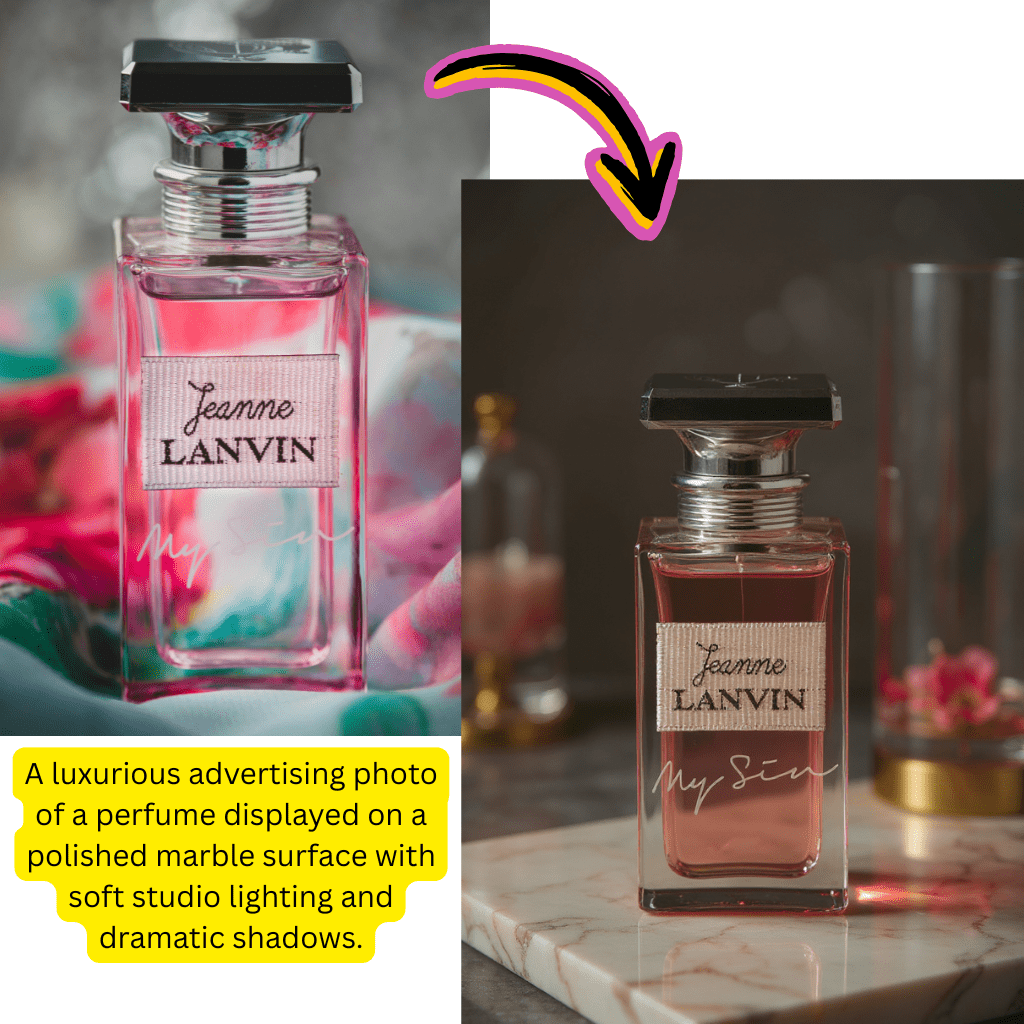
OpenAI Quality
Powered by the same technology behind ChatGPT. Consistent, high-quality visual outputs.
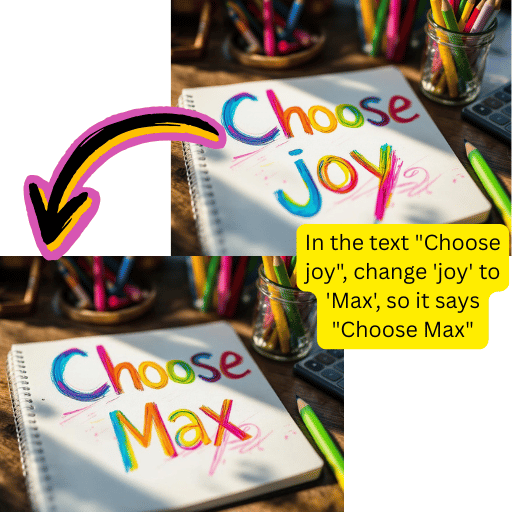
Conversational Workflow
Refine results through natural dialogue. Ask for adjustments and get instant revisions.
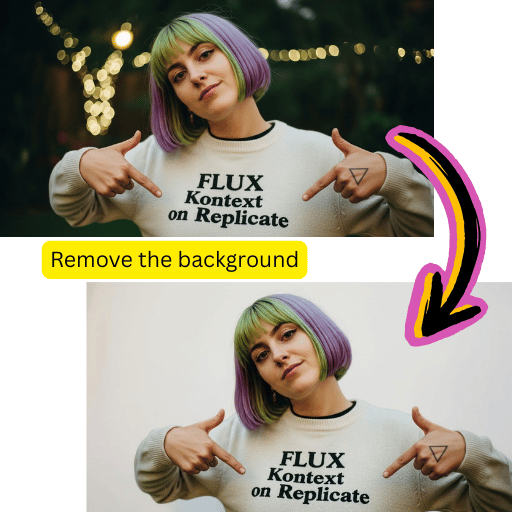
Multi-Purpose Tool
Generate from text, edit existing photos, upscale resolution, and remove backgrounds.
Simple Steps for GPT Image Generator
Create professional visuals in minutes with this intuitive workflow.
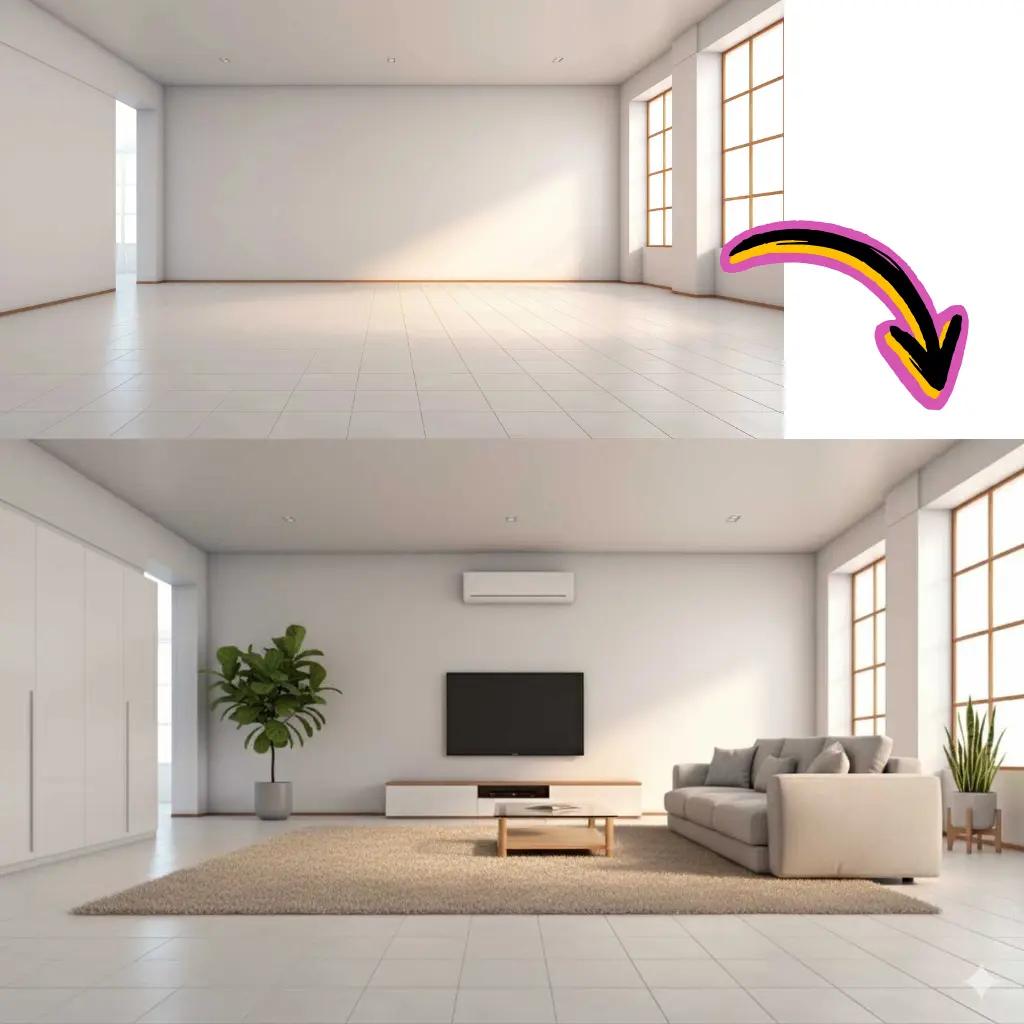
Enter Your Prompt
Describe what you want to create or upload a photo to edit.
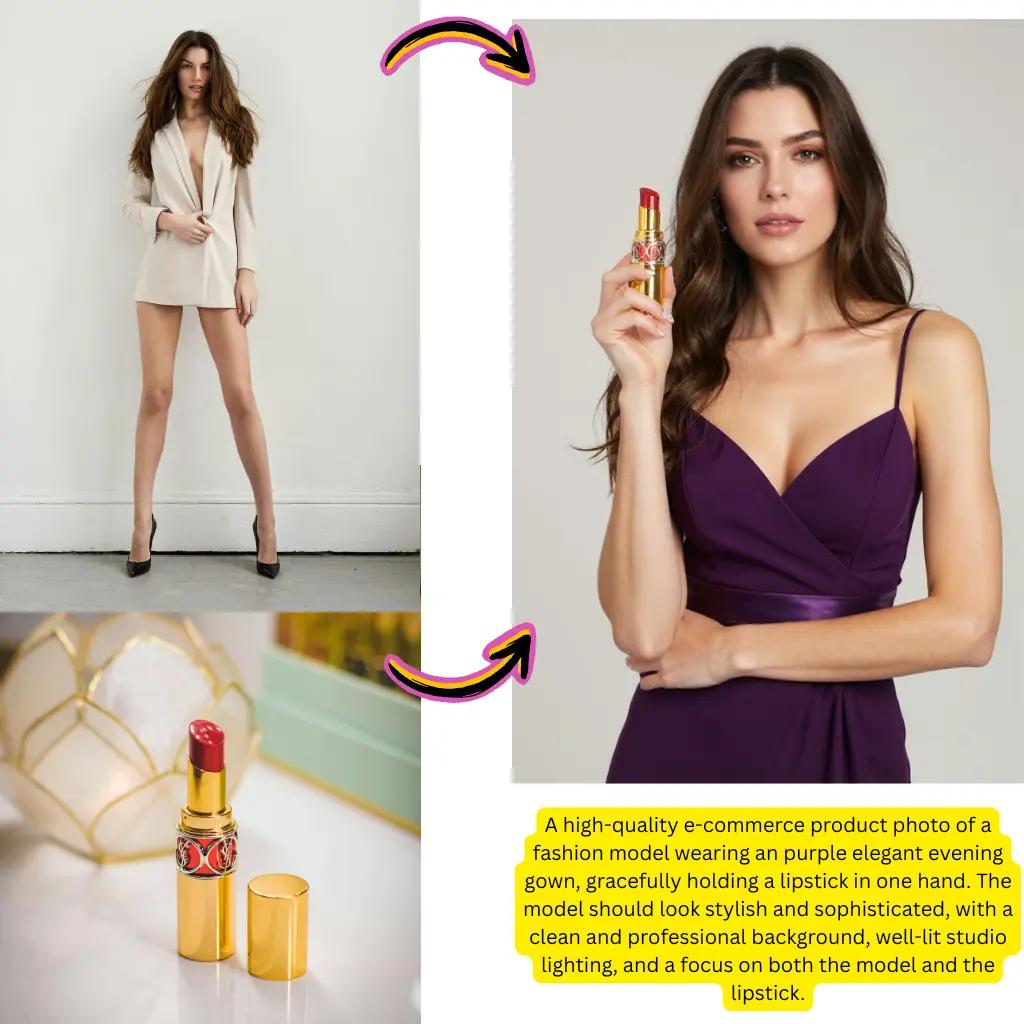
Choose Output Style
Select photorealistic, artistic, or custom visual preferences.
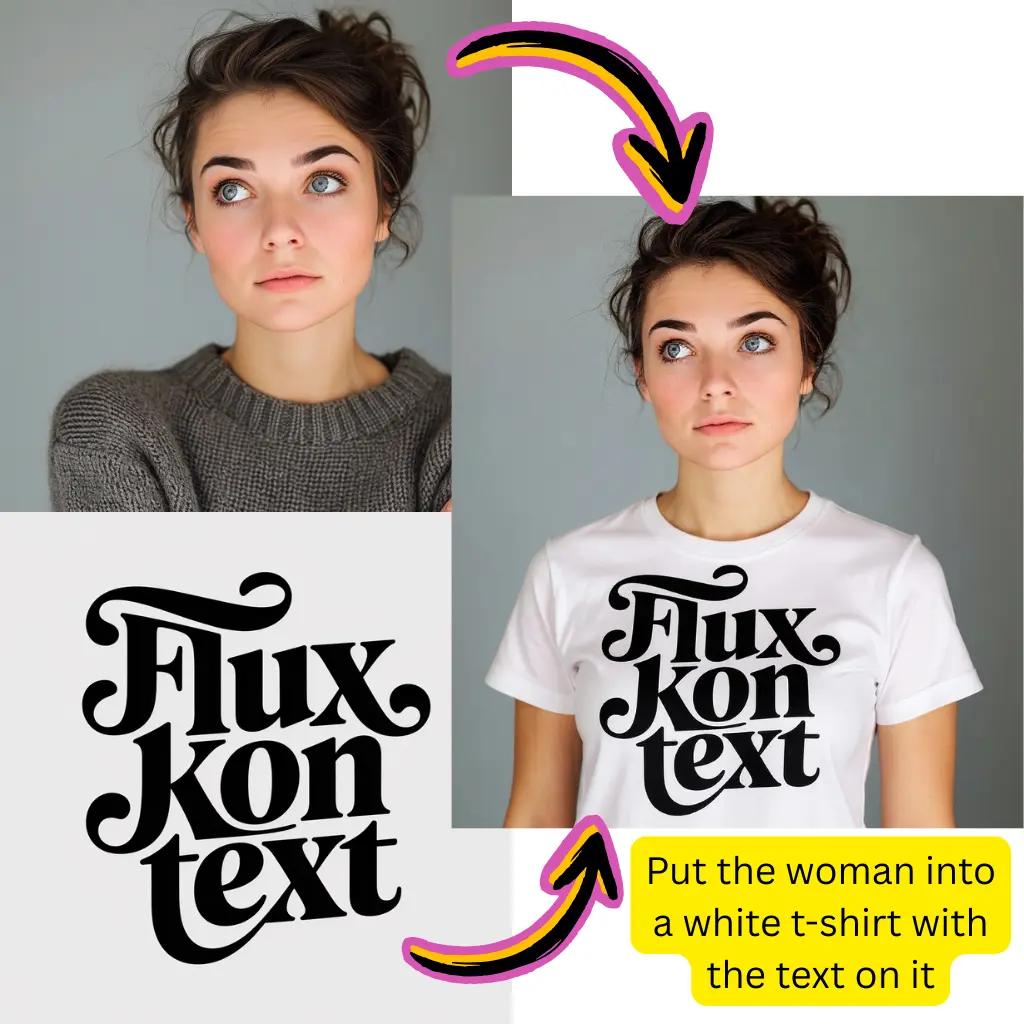
Generate Results
Click create and watch ChatGPT build your visual in seconds.
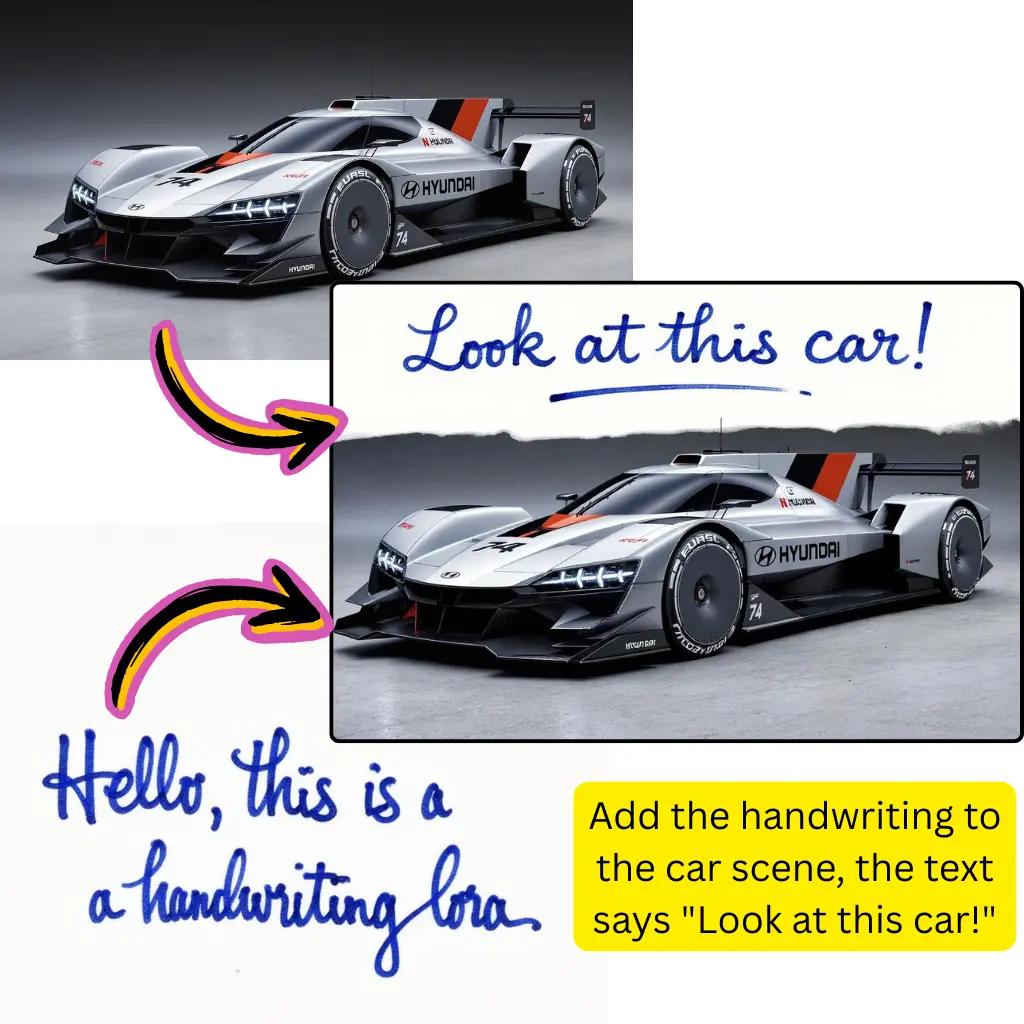
Refine and Download
Request adjustments through chat or save your final creation.
Complete GPT Image Generator Capabilities
Explore everything you can create and edit with OpenAI's visual technology.
Text to Visual
Describe scenes, objects, or concepts. Get photorealistic or artistic renders instantly.
Photo Modification
Upload pictures and request specific changes. Swap elements, adjust lighting, or restyle.
Typography Creation
Generate graphics with accurate, readable text. Perfect for social media and marketing.
Background Operations
Remove, replace, or generate new backgrounds. Export transparent PNG files.
Style Transformation
Convert photos to paintings, sketches, anime, or other artistic styles.
Resolution Enhancement
Upscale low-quality files. Enhance clarity and detail for print-ready outputs.
GPT Image Generator Trusted by Millions
Join creators worldwide using OpenAI's visual technology.
Daily Creations
5M+
Visuals generated every day
Active Creators
2M+
Users building with ChatGPT
Satisfaction Rate
95%
Positive user feedback
Tiramisu AI Pricing
Choose the perfect plan for your AI creation needs.
Lite
20% OffOnly $0.25/day
36,000 credits upfront =
- •Up to 7,200+ AI images
- •Up to 850+ AI videos
- •Average 20 AI images or 3 AI videos per day
All-in-one multi-model support
What's Included
- Text to Image
- Image to Image
- Text to Video
- Image to Video
- 10+ Basic AI Models
- Up to 1080p Resolution
- Basic Filters & Styles
- Standard Speed
- 12 Months Validity
- ✓Save $24/year
- ✓≈ Free 2.4 months
- ✓All credits upfront
$95.76 billed yearly
Pro
Only $0.38/day
90,000 credits upfront =
- •Up to 18,000+ AI images
- •Up to 2,142+ AI videos
- •50 AI images or 6 AI videos per day
All-in-one advanced AI suite
What's Included
- Text to Image
- Image to Image
- Text to Video
- Image to Video
- 20+ Advanced AI Models
- Up to 4K Resolution
- Priority Queue (2x faster)
- Advanced Filters Library
- Commercial License
- No Watermark
- Priority Support
- 12 Months Validity
- ✓Save $95.91/year
- ✓≈ Free 4.8 months
- ✓All credits upfront
$143.76 billed yearly
Max
50% OffOnly $1.1/day
360,000 credits upfront =
- •Up to 72,000+ AI images
- •Up to 8,571+ AI videos
- •200 AI images or 24 AI videos per day
Enterprise-grade AI creation platform
What's Included
- All Generation Types
- All AI Models + Beta Access
- Up to 8K Resolution
- Ultra Priority (5x faster)
- Batch Generation (50 images)
- Advanced Video Models
- Custom AI Training
- Dedicated Manager
- Full Commercial Rights
- 24/7 Premium Support
- 12 Months Validity
- ✓Save $419.76/year
- ✓≈ Free 6 months
- ✓All credits upfront
$419.76 billed yearly
Frequently Asked Questions About GPT Image Generator
Everything you need to know about creating visuals with ChatGPT.
What is GPT Image Generator and how does it work?
This tool uses OpenAI's ChatGPT technology to create and edit visuals from text descriptions. Unlike traditional photo editing software, you simply describe what you want in natural language. The model interprets your prompt, understands context, and generates matching visual output. You can create from scratch or upload existing pictures for modification.
Is GPT Image Generator free to use?
Yes, free access is available to start creating immediately. You receive complimentary credits without signup requirements or payment information. Premium tiers offer additional features like higher resolution outputs, priority processing, and extended usage limits for professional workflows.
How does GPT Image Generator compare to DALL-E 3?
Both are OpenAI products with similar underlying technology. The key difference is integration—this tool combines visual creation with ChatGPT's conversational abilities. You can refine outputs through natural dialogue, ask follow-up questions, and iterate on designs without starting over. DALL-E 3 focuses purely on generation, while this offers a more interactive creative experience.
Can GPT Image Generator edit my existing photos?
Absolutely. Upload any picture and describe your desired changes. You can remove unwanted objects, swap backgrounds, adjust colors, change clothing on portraits, add elements, or completely transform the style. The model understands spatial relationships and maintains consistency while applying your requested modifications.
Why is GPT Image Generator better for text rendering?
OpenAI specifically improved typography capabilities in this model. Previous versions often struggled with readable text in generated visuals. Now you can create posters, social media graphics, logos, and marketing materials with accurate, legible typography. This makes it suitable for professional design work requiring text elements.
How long does GPT Image Generator take to create visuals?
Most generations complete within 10-30 seconds depending on complexity. Simple prompts render faster, while detailed scenes with multiple elements take longer. Photo editing operations typically complete in 15-20 seconds. Our infrastructure optimizes processing so you spend less time waiting.
Can I use GPT Image Generator outputs commercially?
Yes, creations are yours to use for commercial purposes. Marketing materials, product listings, social media content, client projects, and printed materials are all permitted. Review OpenAI's usage policies for specific restrictions on certain content types, but most business and creative applications are fully supported.
What file formats does GPT Image Generator support?
For uploads, we accept JPG, PNG, WebP, AVIF, and most common formats. Outputs can be downloaded as high-quality JPG for smaller file sizes or PNG for transparency support. The platform also includes format conversion tools to change between AVIF, JPG, PNG, and other types.
How does GPT Image Generator handle photo upscaling?
The built-in upscaler enhances resolution while preserving and often improving fine details. Whether you have compressed web graphics, old photographs, or small thumbnails, the tool reconstructs clarity and sharpness. Results are suitable for print production or high-definition display.
Is GPT Image Generator better than Gemini for visuals?
Both platforms offer strong visual creation capabilities. ChatGPT excels at conversational refinement and text rendering accuracy. Gemini integrates deeply with Google services and search. Your choice depends on workflow preferences—if you want iterative, chat-based creation, this tool offers advantages. For Google ecosystem integration, Gemini may suit better.
Can GPT Image Generator remove backgrounds from photos?
Yes, background removal is a core feature. Upload your picture and request background removal through a simple prompt. The model uses advanced segmentation to precisely extract subjects. You can download transparent PNG files or composite your subject onto new backgrounds directly.
What makes GPT Image Generator different from Stable Diffusion?
Stable Diffusion requires technical setup, local installation, or third-party interfaces. This tool offers immediate browser-based access with no configuration needed. You get OpenAI's quality and safety measures plus conversational refinement capabilities. Stable Diffusion offers more customization for technical users, while ChatGPT prioritizes accessibility and ease of use.
How do I write effective prompts for GPT Image Generator?
Be specific and descriptive. Include subject, style, lighting, mood, and composition details. Instead of 'a cat,' try 'a fluffy orange tabby cat sitting on a windowsill, soft morning light, watercolor painting style.' The model understands natural language, so write as if describing to a person. You can always refine through follow-up messages.
Can GPT Image Generator create transparent PNG files?
Yes, transparency is fully supported. Request background removal or specify transparent background in your prompt. The output saves as PNG format preserving alpha channels. This is essential for logos, product shots, overlays, and any design requiring transparent elements.
Does GPT Image Generator work with Flux or other models?
Our platform integrates multiple visual creation models. Beyond OpenAI technology, you can access Flux, Nano Banana Pro, Kling, and others. Each model has unique strengths—Flux excels at artistic styling, Nano Banana offers realistic outputs, and ChatGPT provides conversational creation. Switch between models to find the best fit for each project.
Is GPT Image Generator suitable for product photography?
Yes, commercial product photography is a strong use case. Generate product shots on various backgrounds, create lifestyle scenes, add props, or enhance existing product photos. The accurate text rendering also enables packaging mockups and branded material creation. Many e-commerce sellers use this for catalog and marketing visuals.
How does GPT Image Generator handle style transfer?
Upload any photo and describe the style transformation you want. Convert photographs to oil paintings, watercolors, anime, cyberpunk aesthetics, vintage film looks, or countless other styles. The model preserves composition and subject while applying dramatic stylistic changes. Great for artistic projects and social media content.
Can GPT Image Generator create videos from photos?
While primarily focused on static visuals, our platform includes video capabilities. Upload a picture and use companion tools to animate it with natural motion. This extends ChatGPT creations into dynamic content for social media, presentations, and marketing campaigns.
What resolution does GPT Image Generator output?
Standard outputs are suitable for web and social media use. Premium tiers unlock higher resolutions appropriate for print production and large-format displays. The upscaling feature can further enhance any output to meet specific size requirements without quality loss.
Is GPT Image Generator safe and moderated?
OpenAI implements content guidelines to ensure responsible use. The platform supports broad creative and commercial applications while preventing harmful content. Most artistic, business, and personal projects proceed without restriction. Certain categories are limited to maintain community safety.
How do I fix when GPT Image Generator says it cannot edit?
Occasionally you may see messages like 'Sorry, I can't edit images for you yet.' This typically means the specific edit requested isn't supported or the content triggered safety filters. Try rephrasing your prompt, being more specific about desired changes, or requesting generation instead of editing. Breaking complex edits into simpler steps often resolves issues.
Can GPT Image Generator batch process multiple files?
Yes, batch processing enables efficient workflows. Upload several pictures and apply consistent prompts across all files simultaneously. This is valuable for product catalogs, content series, or any project requiring uniform styling across multiple visuals.
Does GPT Image Generator require ChatGPT Plus subscription?
Free access is available through our platform without any subscription requirement. While ChatGPT Plus offers benefits within OpenAI's ecosystem, you can use this visual creation tool independently with complimentary credits to start.
How accurate is GPT Image Generator for architectural renders?
The model produces impressive architectural visualizations from text descriptions. Describe building styles, materials, lighting conditions, and environments to generate realistic renders. While not replacing professional CAD software, it's excellent for concept visualization, client presentations, and early-stage design exploration.
Ready to Create with ChatGPT?
Start generating stunning visuals today. Free access, no credit card required.