


Flux Kontext AI Image Editor Gallery
Explore creative transformations made with Flux Kontext. Click any result to view the prompt and recreate similar edits.
Comparison of Tiramisu AI Image to Image Models
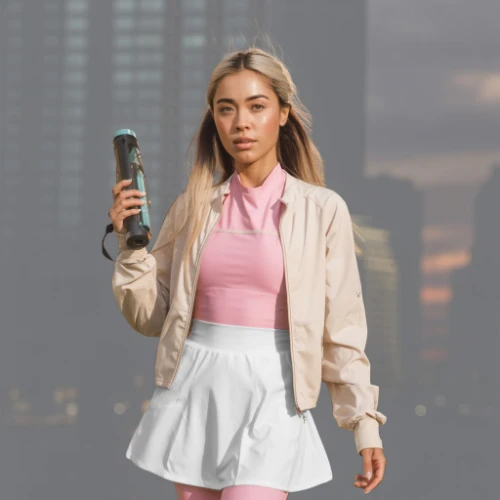
Original Image

Change the clothes to sports
Generated Results







Alternatives to Flux Kontext AI Image Editor


Edit Any Photo with Flux Kontext AI Image Editor

Text-Based Controls
Describe changes in plain language. Swap backgrounds, adjust colors, or apply new styles instantly.
Creative Styling
Transform portraits into artwork, apply artistic filters, or explore unique visual aesthetics.
Precise Editing
Maintain original composition while modifying specific elements with accuracy.
Benefits of Flux Kontext AI Image Editor
Access Black Forest Labs technology without complex software installations or subscriptions.

Free to Start
Begin editing without payment. No signup walls or hidden costs to access core features.

Black Forest Labs Quality
Same technology behind Flux Pro and Flux Dev models. Professional-grade outputs every time.
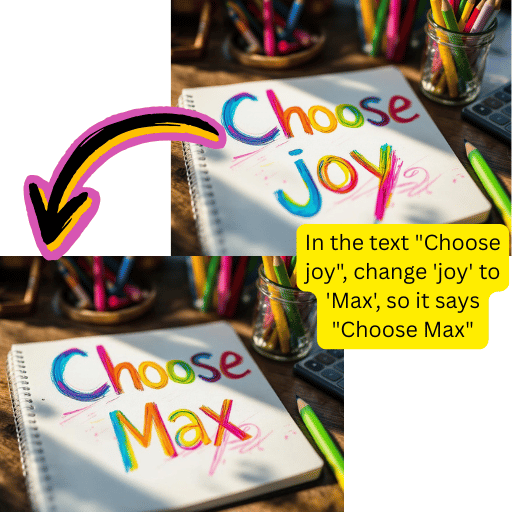
ComfyUI Compatible
Works with ComfyUI workflows. Export settings and integrate into existing pipelines easily.
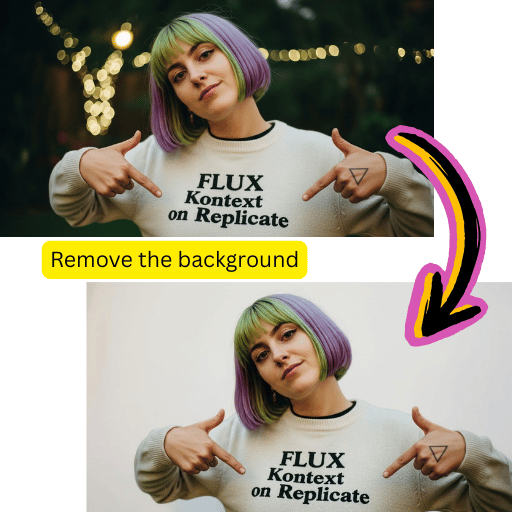
Fast Processing
Get polished results within seconds. Perfect for content creators and rapid iteration.
Simple 4-Step Flux Kontext AI Image Editor Process
Transform any photo in minutes with our intuitive workflow.
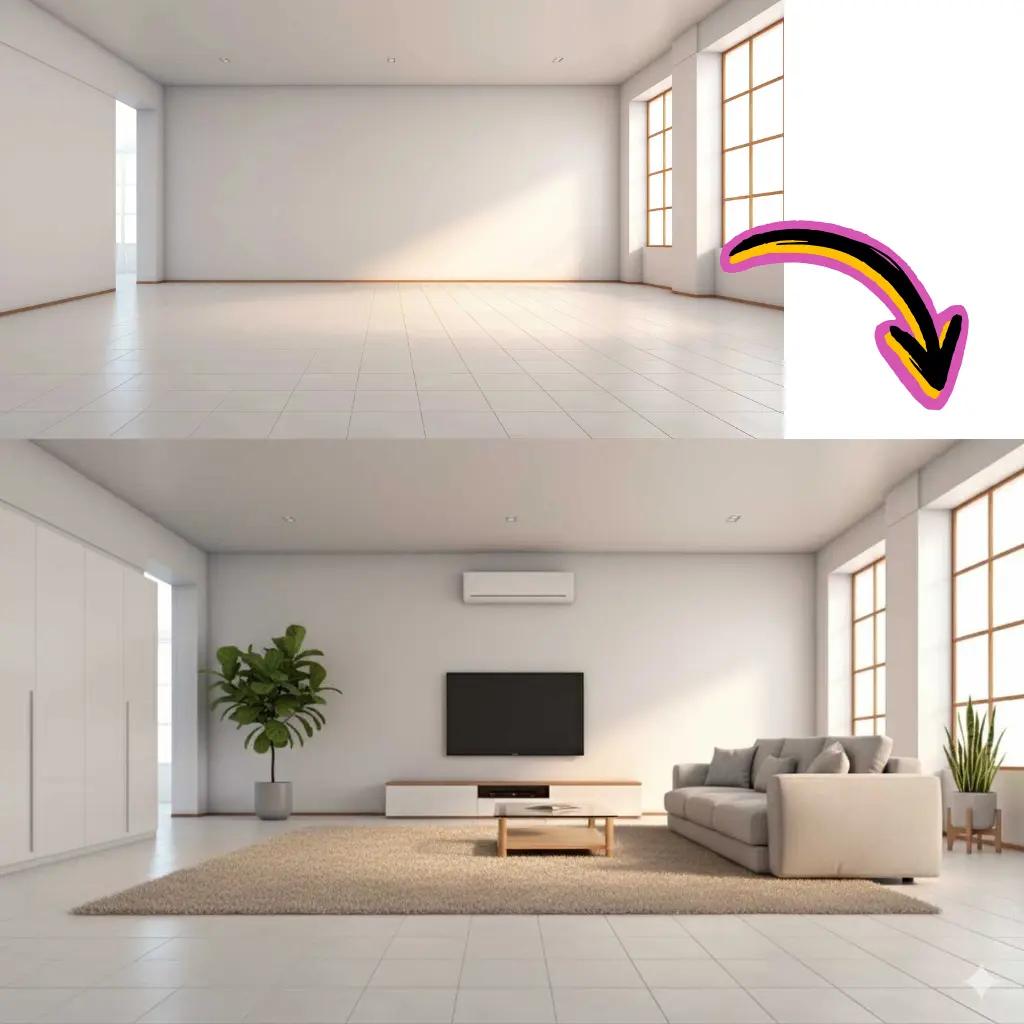
Upload Your Photo
Drag and drop into the online workspace.

Write Your Prompt
Describe the changes you want in plain text.
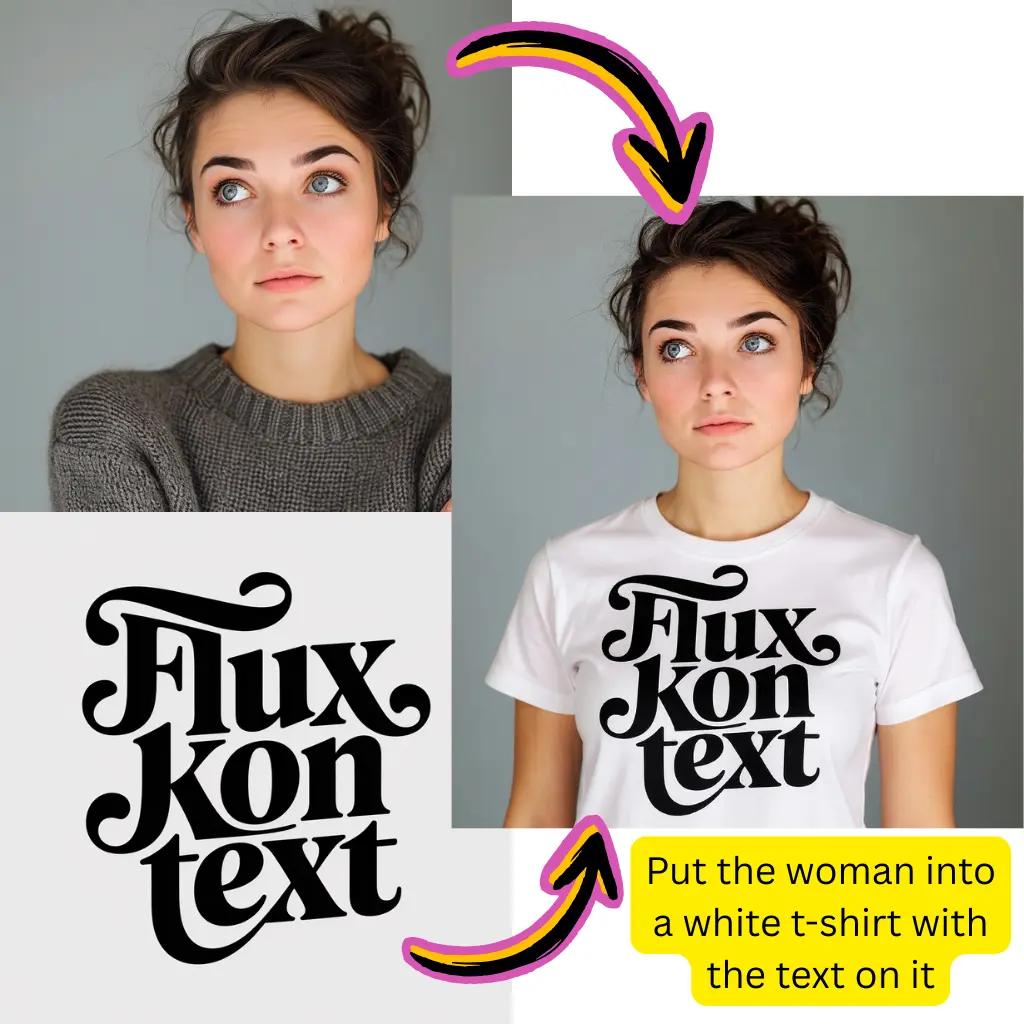
Select Flux Kontext
Choose Flux Kontext from available models.
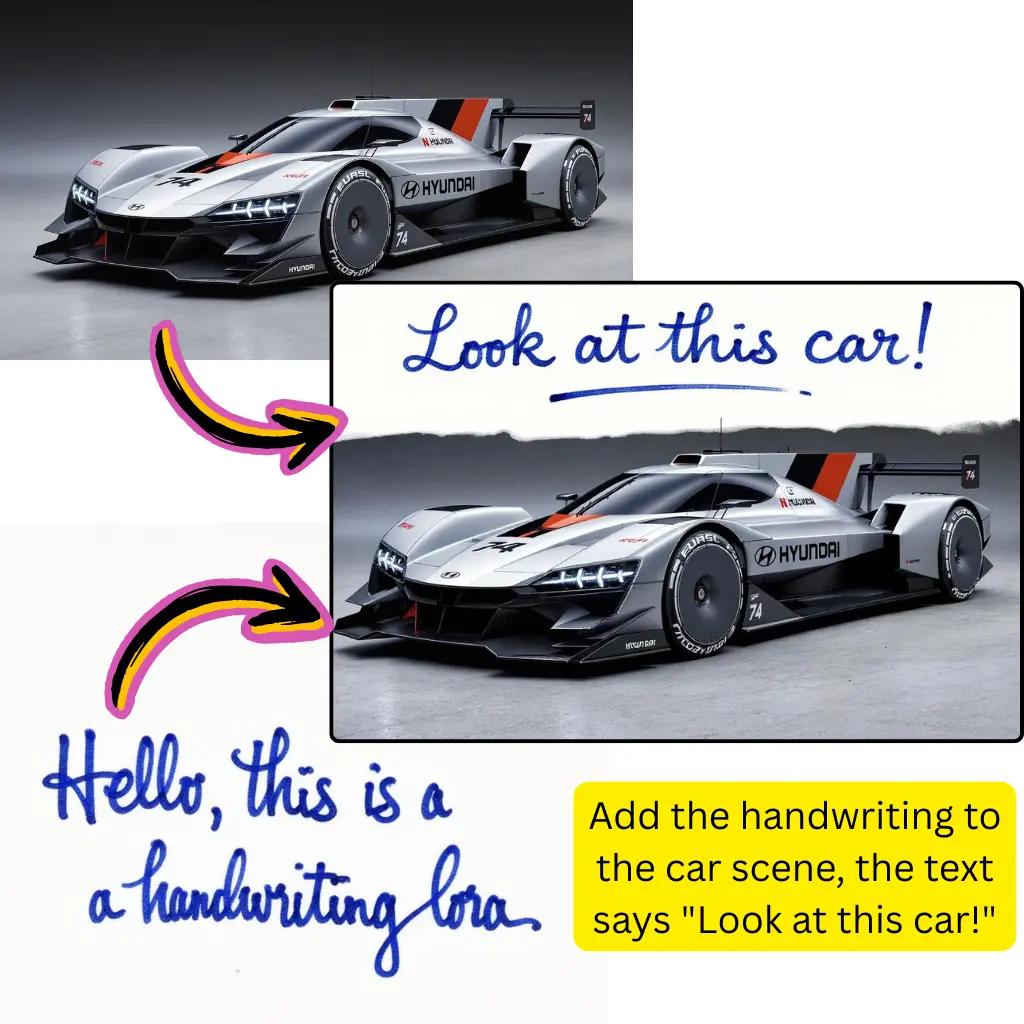
Download Result
Save your transformed creation instantly.
Complete Flux Kontext AI Image Editor Capabilities
Explore the full suite of transformation tools available through Flux Kontext technology.
Style Transfer
Apply anime, oil painting, cyberpunk, or watercolor aesthetics to any photograph.
Background Swap
Replace backgrounds instantly. Keep subjects sharp while changing entire environments.
Object Editing
Add, remove, or modify specific objects within your photos using text commands.
Color Adjustment
Change color schemes, lighting conditions, and overall mood of any visual.
LoRA Support
Apply custom Flux Kontext LoRA models for specialized styles and unique outputs.
HD Output
Export high-resolution results suitable for print and professional applications.
Flux Kontext AI Image Editor Trusted by Creators
Join a growing community of visual content creators worldwide.
Active Users
500K+
Creators using Flux Kontext daily
Edits Completed
20M+
Photos transformed successfully
Avg. Processing
<15s
Fast turnaround on most edits
Tiramisu AI Pricing
Choose the perfect plan for your AI creation needs.
Lite
20% OffOnly $0.25/day
36,000 credits upfront =
- •Up to 7,200+ AI images
- •Up to 850+ AI videos
- •Average 20 AI images or 3 AI videos per day
All-in-one multi-model support
What's Included
- Text to Image
- Image to Image
- Text to Video
- Image to Video
- 10+ Basic AI Models
- Up to 1080p Resolution
- Basic Filters & Styles
- Standard Speed
- 12 Months Validity
- ✓Save $24/year
- ✓≈ Free 2.4 months
- ✓All credits upfront
$95.76 billed yearly
Pro
Only $0.38/day
90,000 credits upfront =
- •Up to 18,000+ AI images
- •Up to 2,142+ AI videos
- •50 AI images or 6 AI videos per day
All-in-one advanced AI suite
What's Included
- Text to Image
- Image to Image
- Text to Video
- Image to Video
- 20+ Advanced AI Models
- Up to 4K Resolution
- Priority Queue (2x faster)
- Advanced Filters Library
- Commercial License
- No Watermark
- Priority Support
- 12 Months Validity
- ✓Save $95.91/year
- ✓≈ Free 4.8 months
- ✓All credits upfront
$143.76 billed yearly
Max
50% OffOnly $1.1/day
360,000 credits upfront =
- •Up to 72,000+ AI images
- •Up to 8,571+ AI videos
- •200 AI images or 24 AI videos per day
Enterprise-grade AI creation platform
What's Included
- All Generation Types
- All AI Models + Beta Access
- Up to 8K Resolution
- Ultra Priority (5x faster)
- Batch Generation (50 images)
- Advanced Video Models
- Custom AI Training
- Dedicated Manager
- Full Commercial Rights
- 24/7 Premium Support
- 12 Months Validity
- ✓Save $419.76/year
- ✓≈ Free 6 months
- ✓All credits upfront
$419.76 billed yearly
Frequently Asked Questions About Flux Kontext AI Image Editor
Everything you need to know about editing photos with Flux Kontext technology.
What is Flux Kontext AI Image Editor?
Flux Kontext AI image editor is a text-based photo editing tool developed by Black Forest Labs. Unlike traditional editors requiring manual adjustments, Flux Kontext understands natural language prompts to modify your photos. You can describe changes like 'make the sky more dramatic' or 'add autumn leaves to the trees' and the model applies these modifications while preserving your original composition. It's part of the broader Flux ecosystem that includes Flux Pro, Flux Dev, and Flux Schnell models.
How does Flux Kontext AI Image Editor differ from Flux Pro or Flux Dev?
While Flux Pro and Flux Dev focus primarily on text to image generation, Flux Kontext AI image editor specializes in modifying existing photos. Flux Kontext preserves the structure, composition, and key elements of your original while applying requested changes. This makes it ideal for editing rather than creating from scratch. Flux Pro offers the highest quality generation, Flux Dev provides a balance of speed and quality, and Flux Kontext excels at controlled modifications.
Is Flux Kontext AI Image Editor free to use?
Yes, you can start using Flux Kontext AI image editor without payment. Our platform provides complimentary credits for new users to explore all editing features. For heavy usage, professional workflows, or priority processing, premium tiers unlock additional capacity. There are no signup walls blocking basic access.
Can I use Flux Kontext AI Image Editor with ComfyUI?
Absolutely. Flux Kontext integrates seamlessly with ComfyUI workflows. You can find ComfyUI Flux Kontext nodes and workflows on platforms like Hugging Face and community repositories. This allows advanced users to build custom pipelines, chain multiple operations, and automate batch processing. Our online platform also supports exporting settings compatible with ComfyUI configurations.
What types of edits can Flux Kontext AI Image Editor perform?
Flux Kontext AI image editor handles diverse editing tasks including background replacement, object addition or removal, style transfer, color correction, lighting adjustments, seasonal changes, clothing swaps, and artistic transformations. You can turn daytime scenes into night, add weather effects, change facial expressions, modify textures, and apply countless creative modifications—all through simple text descriptions.
How does Flux Kontext AI Image Editor compare to Nano Banana Pro?
Both are powerful editing tools with different strengths. Flux Kontext AI image editor excels at creative styling and artistic transformations with strong prompt adherence. Nano Banana Pro focuses on photorealistic edits and natural-looking modifications. For artistic projects and dramatic style changes, Flux Kontext often delivers better results. For subtle, realistic touch-ups, Nano Banana Pro may be preferable. Our platform offers both, so you can experiment with each.
Does Flux Kontext AI Image Editor support LoRA models?
Yes, Flux Kontext LoRA support enables specialized styles and unique aesthetic outputs. You can apply community-created LoRAs or train custom ones for specific visual styles. LoRA models work with the base Flux Kontext to add particular artistic signatures, character consistencies, or brand-specific aesthetics to your edits.
What is Flux Kontext Max in the AI Image Editor?
Flux Kontext Max represents the highest-quality variant optimized for complex edits and maximum detail preservation. It handles intricate prompts better and produces superior results for professional applications. While standard Flux Kontext works great for most tasks, Flux Kontext Max is recommended for commercial projects requiring exceptional output quality.
How fast is Flux Kontext AI Image Editor processing?
Most edits complete within 10-20 seconds depending on complexity and current server load. Simple modifications like color changes process faster, while complex transformations involving multiple elements take slightly longer. Premium users receive priority queue access for even faster turnaround during peak usage times.
Can Flux Kontext AI Image Editor remove backgrounds?
Yes. You can prompt Flux Kontext AI image editor to remove backgrounds, replace them with specific scenes, or create transparent outputs. The model accurately segments subjects from backgrounds, handling complex edges like hair and transparent objects effectively. For dedicated background removal, we also offer specialized tools alongside Flux Kontext.
Is Flux Kontext AI Image Editor available on Hugging Face?
Yes, Flux Kontext models are available on Hugging Face for developers and researchers. You can access model weights, documentation, and community resources through Flux Kontext Hugging Face repositories. Our platform provides a user-friendly interface built on top of these models, eliminating the need for local setup or technical configuration.
How does Flux Kontext AI Image Editor compare to Qwen or Gemini editors?
Flux Kontext AI image editor, Qwen image editing, and Gemini each offer distinct approaches. Flux Kontext provides strong creative control with excellent prompt following for artistic modifications. Qwen excels at understanding complex instructions and handles nuanced editing requests well. Gemini integrates broad AI capabilities for intelligent modifications. The best choice depends on your specific editing needs—our platform offers multiple options for comparison.
Can I use Flux Kontext AI Image Editor for commercial projects?
Yes, outputs from Flux Kontext AI image editor can be used commercially. Whether creating marketing materials, product photos, social media content, or client deliverables, you retain rights to your edited creations. Review our terms of service for specific licensing details regarding different use cases and model outputs.
What file formats does Flux Kontext AI Image Editor support?
Flux Kontext AI image editor accepts common formats including JPG, PNG, WebP, and AVIF. For output, you can download as JPG for smaller file sizes, PNG for transparency support, or WebP for optimized web delivery. Built-in conversion handles format switching seamlessly without quality loss.
Does Flux Kontext AI Image Editor work on mobile devices?
Yes, our browser-based platform works on smartphones and tablets. No app installation required—simply access through your mobile browser, upload photos directly from your camera roll, and edit on the go. The interface adapts to smaller screens while maintaining full functionality.
What is Flux Context vs Flux Kontext AI Image Editor?
Flux Kontext (with 'K') is the official model name from Black Forest Labs. 'Flux Context' is a common alternate spelling people search for. Both refer to the same technology—the context-aware editing capability that understands and modifies photos based on textual instructions while preserving relevant visual elements.
How do I get the best results from Flux Kontext AI Image Editor?
Write clear, specific prompts describing exactly what you want changed. Include details about style, colors, and mood. Start with simple edits before attempting complex multi-element changes. Experiment with different phrasings if initial results don't match expectations. Higher quality source photos generally yield better outputs. The community on Reddit and Discord shares effective prompting techniques and Flux Kontext workflows.
Can Flux Kontext AI Image Editor transform photos into artwork?
Yes, artistic transformation is a key strength. You can convert photographs into oil paintings, watercolors, anime illustrations, sketches, digital art, and countless other styles. Flux Kontext AI image editor interprets artistic prompts with strong sensibility, making it excellent for creative projects requiring unique visual aesthetics beyond standard photo editing.
Ready to Edit with Flux Kontext?
Start transforming your photos today. No credit card required.