


AI Picture Editor Inspiration Gallery
Browse creative transformations from our community. Click any result to view the prompt and recreate similar visuals.
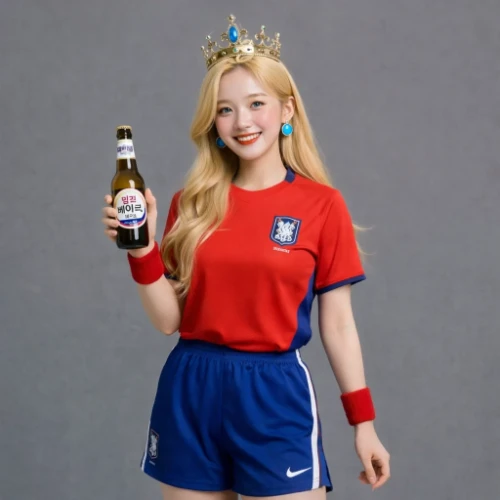
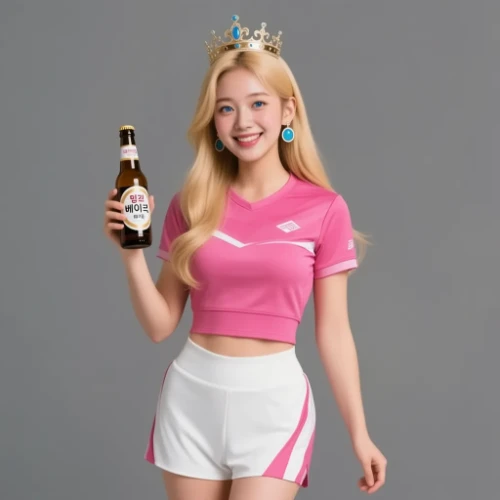
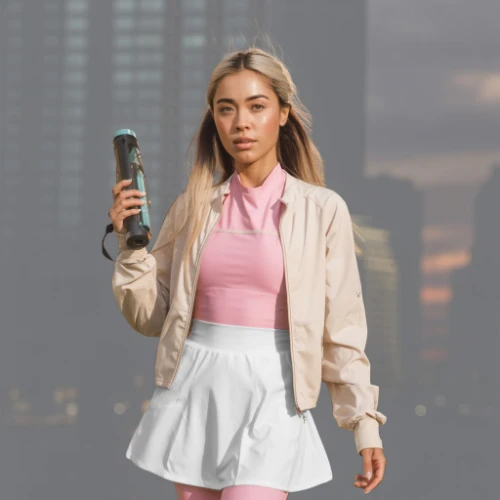
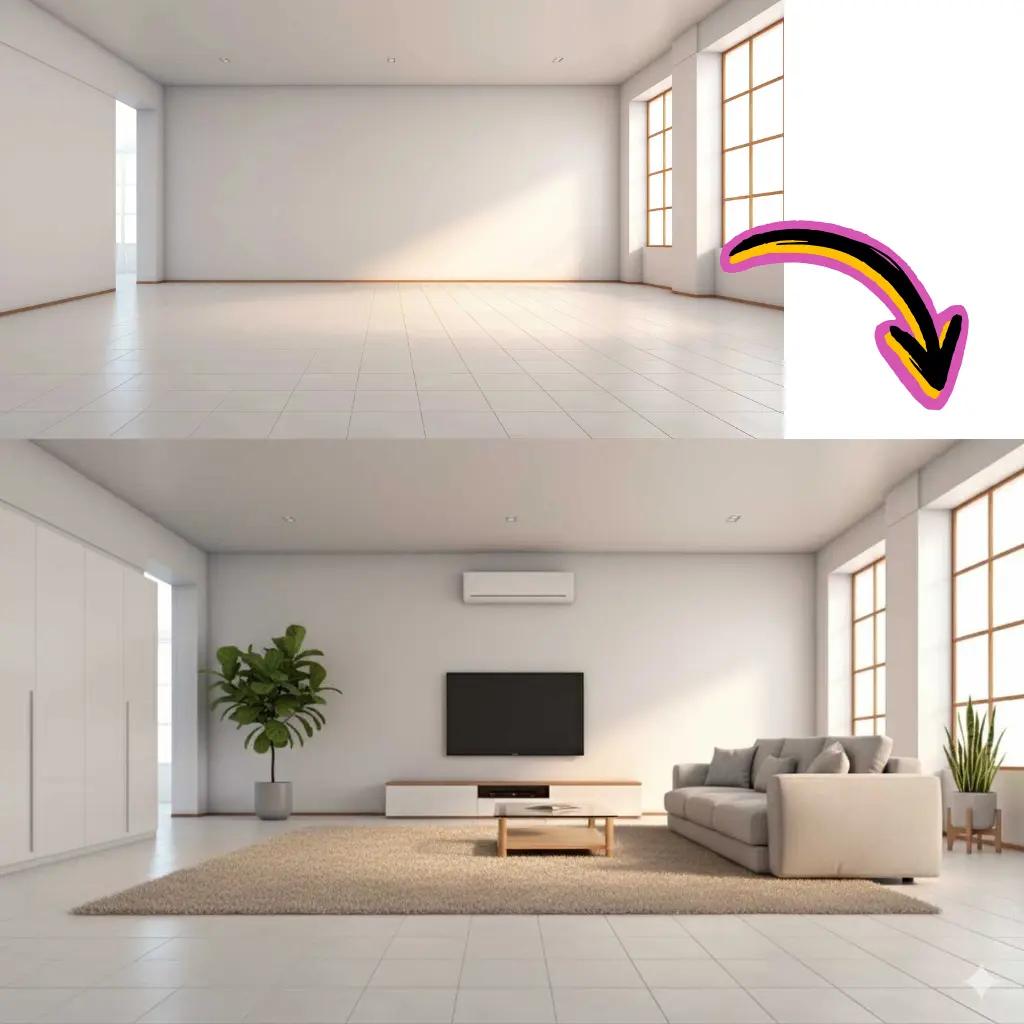
Comparison of Tiramisu AI Image to Image Models
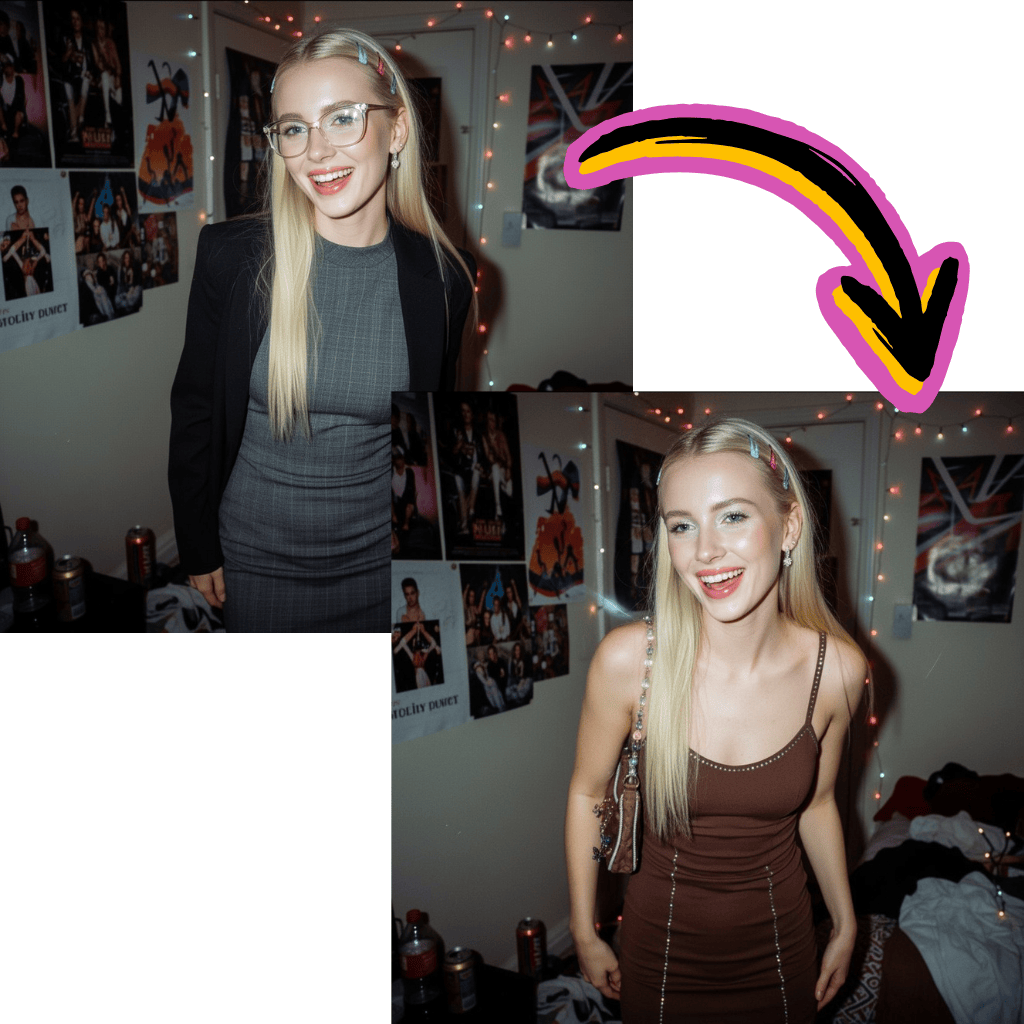
Original Image
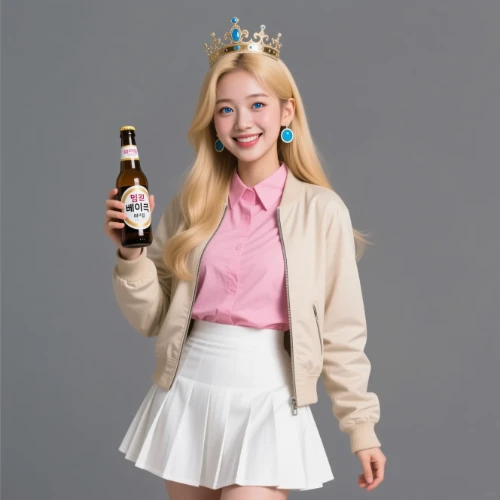
Change the clothes to sports
Generated Results
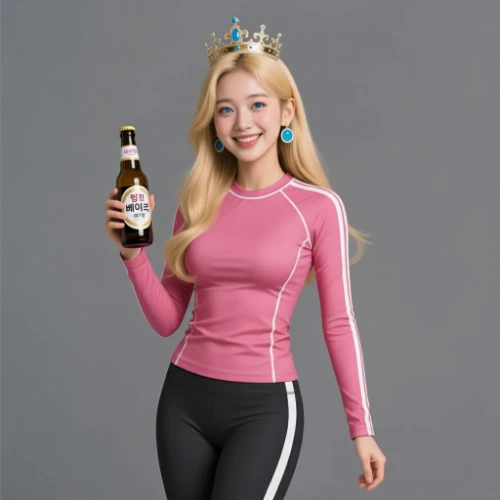
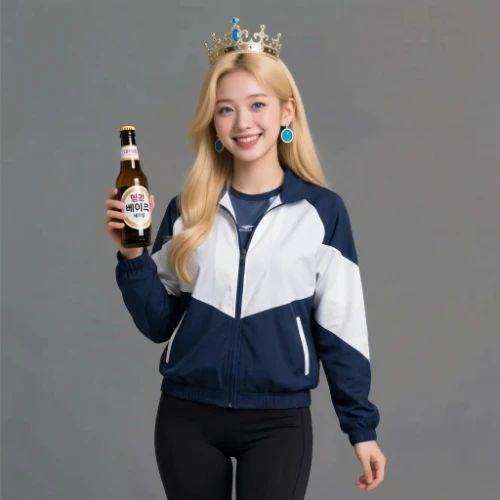
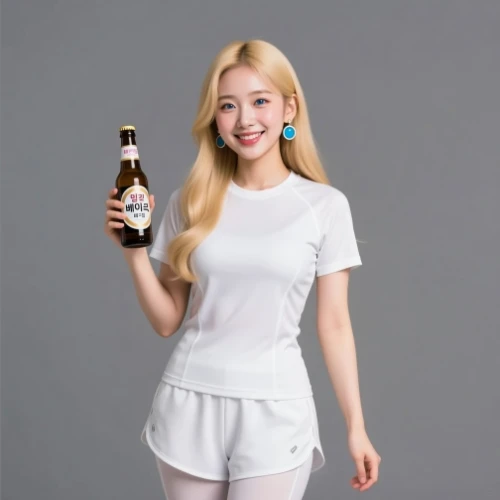


Free Online AI Picture Editor with Premium Models
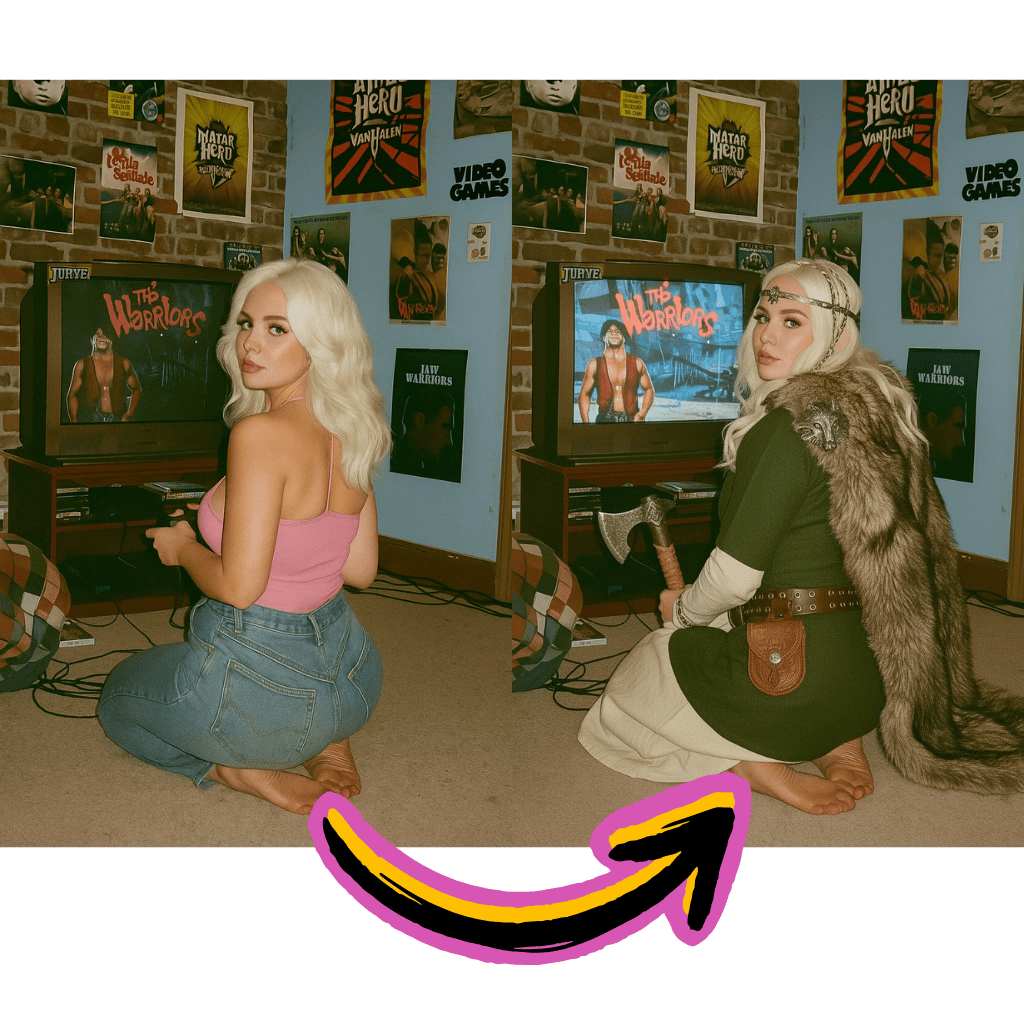
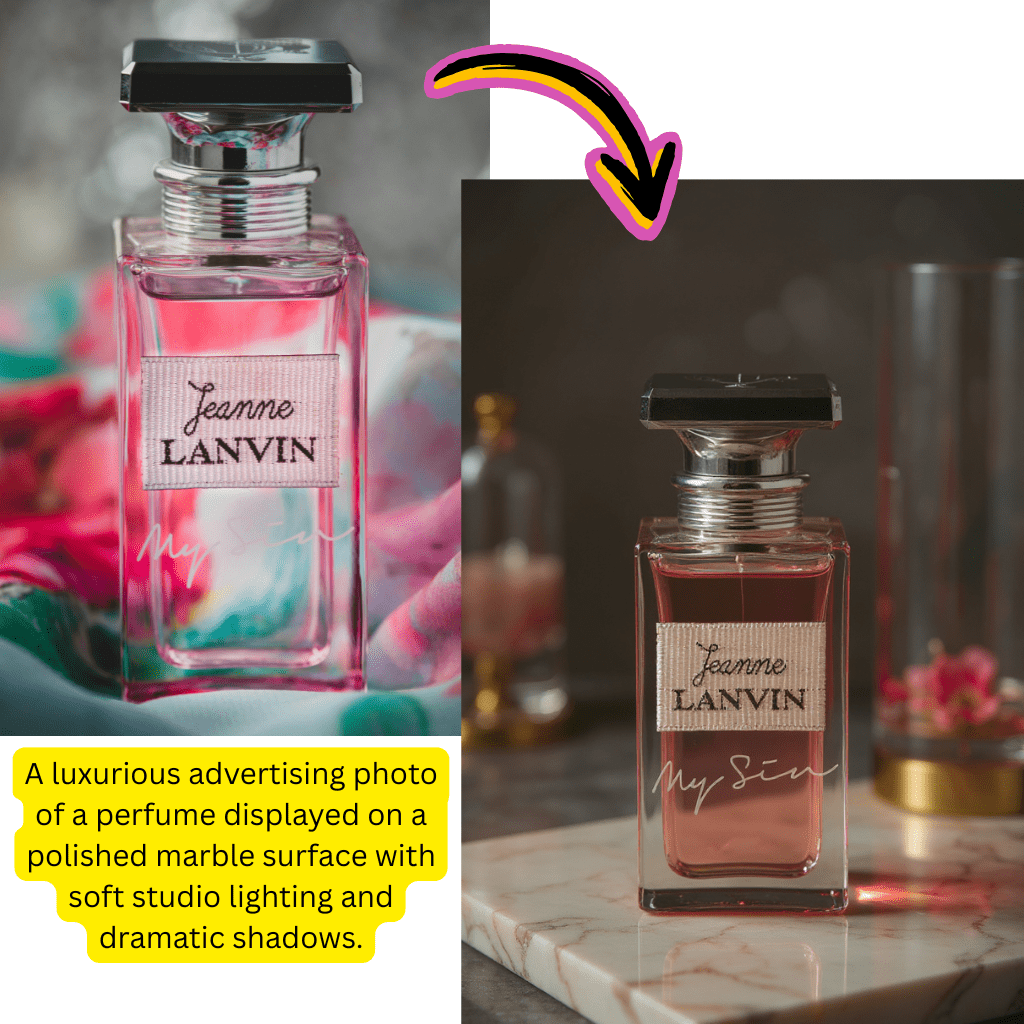
Smart Enhancement
Auto-adjust lighting, colors, and sharpness. Perfect for social media and product visuals.
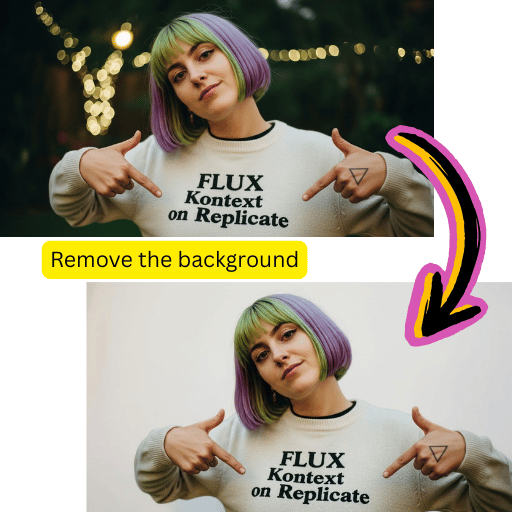
Background Removal
Extract subjects precisely. Export transparent PNG files or add new backdrops instantly.
Portrait Retouching
Smooth skin and fix blemishes while preserving natural textures and authentic details.
Key Benefits of Using AI Picture Editor
Professional-grade capabilities without expensive subscriptions or complex software installations.
Zero Cost to Start
Begin editing immediately. No credit card, no signup walls, no hidden charges.
Premium AI Models
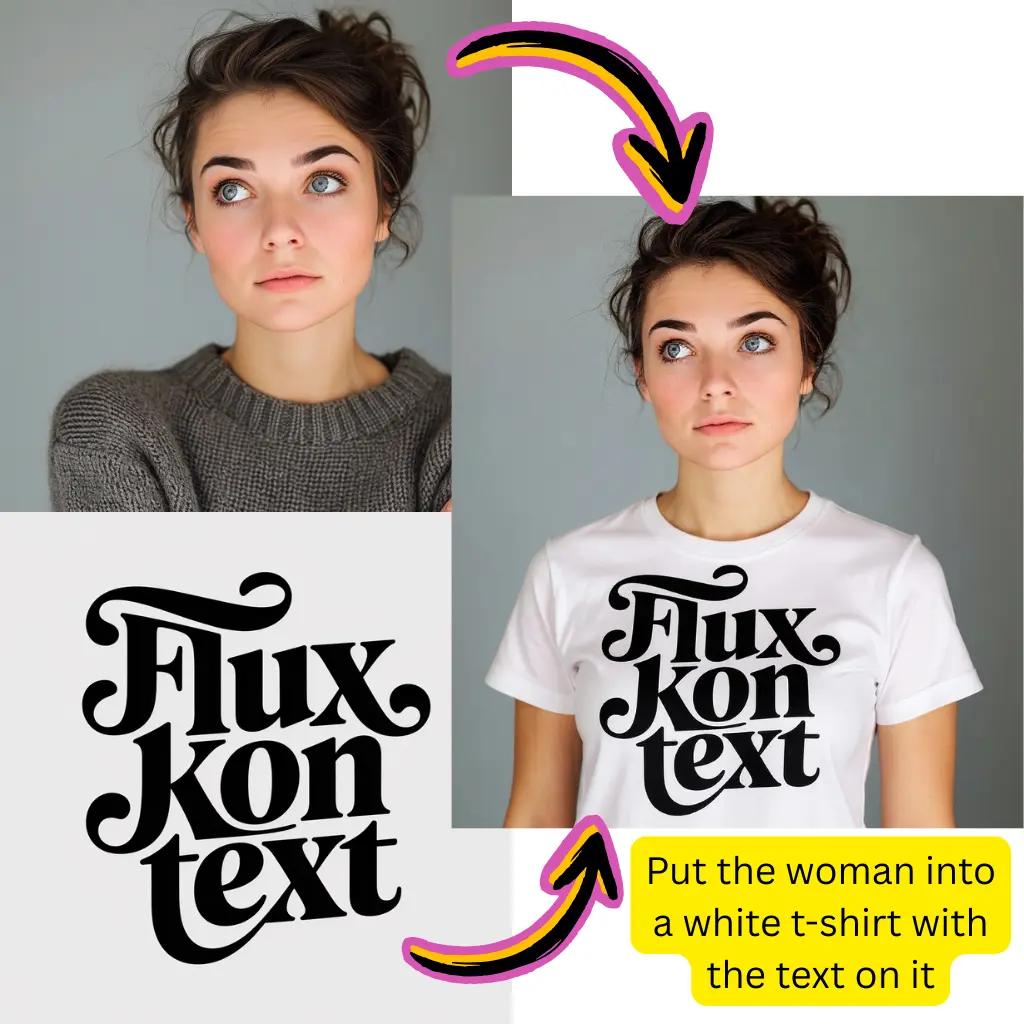
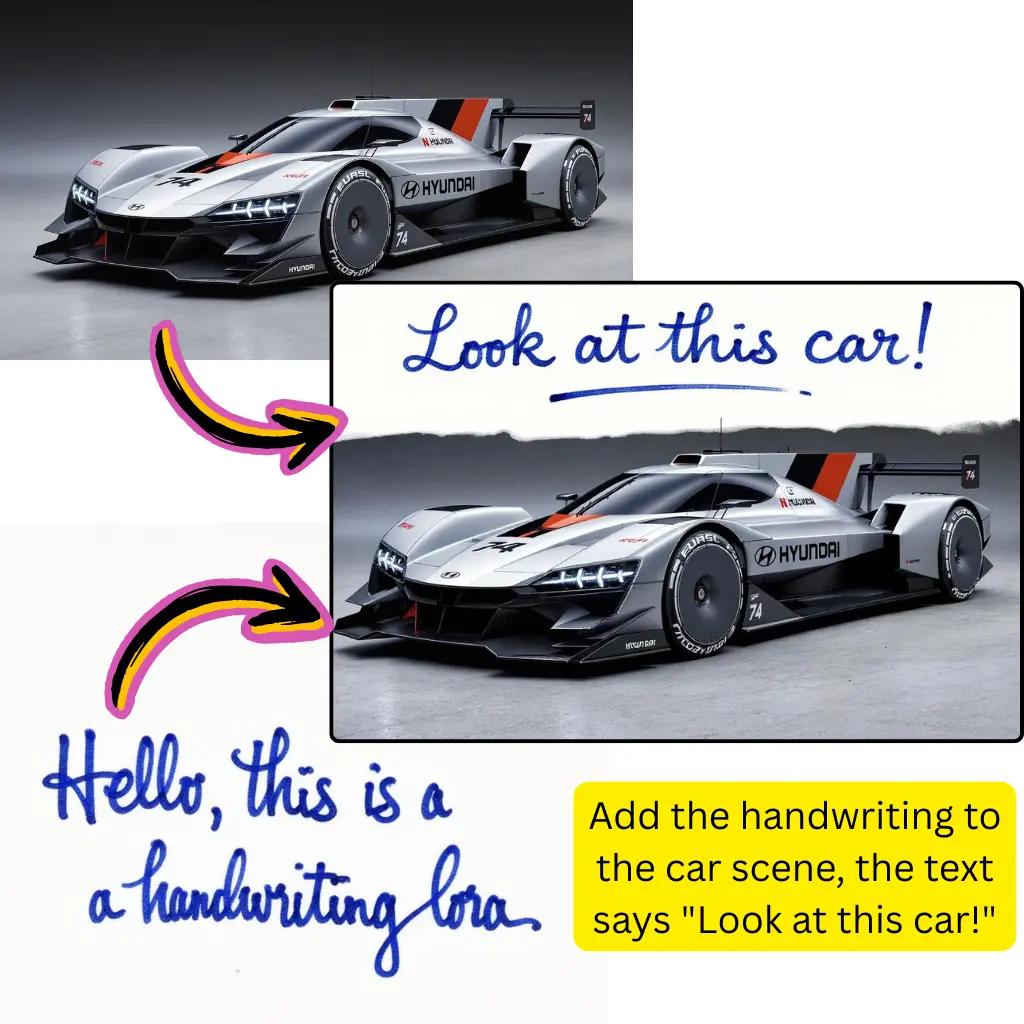
Work with Nano Banana Pro, Gemini technology, Flux Kontext, Kling AI, and Higgsfield.
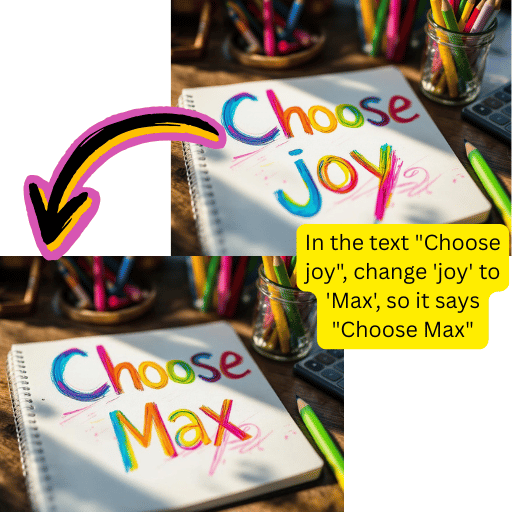
Complete Editing Toolkit
Background removal, upscaling, retouching, format conversion—unified in one workspace.
Lightning Speed
Get polished results within seconds. Ideal for rapid content creation workflows.
How to Use AI Picture Editor in 4 Steps
Professional results without the learning curve. Follow this simple workflow.
Upload Your File
Drag and drop or click to add your visual.

Select Your Tool
Choose enhancement, background removal, or other options.
Adjust Settings
Fine-tune parameters or let automation handle everything.
Download Result
Save your creation in JPG, PNG, or WebP format.
Comprehensive AI Picture Editor Features
Explore the full suite of tools available in our online workspace.
Background Removal
Extract subjects precisely. Add new backdrops or save transparent files.
Auto Enhancement
Optimize exposure, contrast, and saturation with intelligent adjustments.
Smart Retouching
Remove blemishes and smooth portraits while keeping authentic appearance.
Color Correction
Fix white balance and apply professional color grading automatically.
HD Upscaling
Enhance resolution and recover details from low-quality source files.
Format Conversion
Convert between JPG, PNG, WebP, and AVIF with optimized compression.
AI Picture Editor Trusted by Creators Worldwide
Join our growing community of designers, marketers, and content creators.
Active Users
1M+
Creators using our tools daily
Files Processed
50M+
Edits completed successfully
Available Models
10+
Premium options to choose
Tiramisu AI Pricing
Choose the perfect plan for your AI creation needs.
Lite
20% OffOnly $0.25/day
36,000 credits upfront =
- •Up to 7,200+ AI images
- •Up to 850+ AI videos
- •Average 20 AI images or 3 AI videos per day
All-in-one multi-model support
What's Included
- Text to Image
- Image to Image
- Text to Video
- Image to Video
- 10+ Basic AI Models
- Up to 1080p Resolution
- Basic Filters & Styles
- Standard Speed
- 12 Months Validity
- ✓Save $24/year
- ✓≈ Free 2.4 months
- ✓All credits upfront
$95.76 billed yearly
Pro
Only $0.38/day
90,000 credits upfront =
- •Up to 18,000+ AI images
- •Up to 2,142+ AI videos
- •50 AI images or 6 AI videos per day
All-in-one advanced AI suite
What's Included
- Text to Image
- Image to Image
- Text to Video
- Image to Video
- 20+ Advanced AI Models
- Up to 4K Resolution
- Priority Queue (2x faster)
- Advanced Filters Library
- Commercial License
- No Watermark
- Priority Support
- 12 Months Validity
- ✓Save $95.91/year
- ✓≈ Free 4.8 months
- ✓All credits upfront
$143.76 billed yearly
Max
50% OffOnly $1.1/day
360,000 credits upfront =
- •Up to 72,000+ AI images
- •Up to 8,571+ AI videos
- •200 AI images or 24 AI videos per day
Enterprise-grade AI creation platform
What's Included
- All Generation Types
- All AI Models + Beta Access
- Up to 8K Resolution
- Ultra Priority (5x faster)
- Batch Generation (50 images)
- Advanced Video Models
- Custom AI Training
- Dedicated Manager
- Full Commercial Rights
- 24/7 Premium Support
- 12 Months Validity
- ✓Save $419.76/year
- ✓≈ Free 6 months
- ✓All credits upfront
$419.76 billed yearly
Frequently Asked Questions About AI Picture Editor
Everything you need to know about editing visuals with our tools.
Is this AI picture editor really free?
Yes, you can start editing completely free without signing up. New users receive complimentary credits to explore all features including background removal, enhancement, and format conversion. Premium tiers are available for heavy users who need priority processing and higher resolution outputs.
What makes AI Picture Editor different from Pixelcut or Hypic?
While mobile apps like Pixelcut and Hypic offer convenient on-device editing, our browser-based tool provides access to more powerful models without installation. You get Gemini AI capabilities, Nano Banana Pro for realistic results, and Flux Kontext for creative styling—all updating automatically without app store downloads.
How does background removal work in this AI picture editor?
Our system uses advanced segmentation to identify subjects with precision. Upload your file and the technology separates foreground from background automatically. You can download PNG files with transparency, replace backdrops with solid colors, or composite onto entirely new scenes.
Can I use Gemini AI for editing?
Absolutely. Gemini integration enables intelligent modifications and context-aware enhancements. It understands your editing intent and applies sophisticated adjustments that respect the original composition. Whether you need subtle touch-ups or creative transformations, Gemini-powered features deliver nuanced results.
What is Nano Banana Pro in AI Picture Editor?
Nano Banana Pro is a specialized model optimized for realistic enhancements and natural-looking results. It excels at maintaining authentic textures, accurate lighting, and photographic quality. Users choose this model when they need outputs that look genuine rather than overly processed.
How does Flux Kontext work in AI Picture Editor?
Flux Kontext specializes in creative styling and artistic transformations. It interprets your instructions with strong aesthetic sensibility, making it ideal for applying unique visual styles or exploring experimental creative directions while maintaining compositional integrity.
What file formats are AI Picture Editor supported?
We accept JPG, PNG, WebP, AVIF, and most common formats for upload. For output, you can download as JPG for smaller file sizes, PNG for transparency support, or WebP for optimized web use. The built-in converter handles AVIF to JPG, PNG to JPG, and other format conversions seamlessly.
Can I upscale low-resolution files with AI Picture Editor?
Our HD upscaling feature enhances resolution while preserving fine details. Whether you have an old photograph, compressed web graphic, or small thumbnail, the upscaler reconstructs clarity and sharpness for print-ready or high-definition output without introducing artifacts.
Is there an SVG editor included in AI Picture Editor?
While our primary focus is raster formats like JPG and PNG, you can work with vector workflows through format conversion. Upload raster files for editing, then use external SVG tools for vector conversion if needed. Our tools excel at pixel-based enhancements and transformations.
How fast is the AI Picture Editor processing?
Most edits complete within 5-30 seconds depending on complexity and selected model. Background removal typically finishes fastest, while advanced enhancements using Gemini or Flux may take slightly longer. Premium users receive priority queue access for faster turnaround.
Can AI Picture Editor convert static visuals to video?
Yes, our AI Picture Editor includes capabilities to animate static files. Upload your content and the video generation tools will add natural motion for social media, presentations, and creative projects. Results work seamlessly with popular video editing software for further refinement.
Do I need technical skills for using AI Picture Editor?
Not at all. The interface is designed for everyone from beginners to professionals. Simply upload your file, select the desired tool or describe what you want, and let the models handle technical complexity. Great results require no specialized knowledge.
How does AI Picture Editor compare to Google AI tools?
While Google offers various creative technologies, our AI Picture Editor aggregates multiple specialized models in one unified interface. You get Gemini capabilities alongside Nano Banana Pro, Flux Kontext, Kling AI, and Higgsfield—providing flexibility to choose the right tool for each task without switching services.
Can I process multiple files at once?
Batch processing allows you to edit several files with consistent settings. This is especially useful for product catalogs, social media content at scale, or applying uniform styling across collections. Upload multiple files and apply the same adjustments simultaneously.
Are there content restrictions for AI Picture Editor?
We support broad creative expression while maintaining community guidelines. The platform accommodates artistic, commercial, and experimental projects. Most professional and creative use cases are fully supported, though certain restricted categories exist to ensure responsible use.
Can I use AI Picture Editor results commercially?
Outputs created on our AI Picture Editor are yours to use. Whether for marketing materials, product listings, social media content, or client projects, you retain rights to your edited creations. Check our terms for specific licensing details on model-specific outputs.
Is there a mobile app available?
Our AI Picture Editor is fully web-based and works great on mobile browsers without app downloads. Simply visit on your phone or tablet to access all features. This approach ensures you always have the latest capabilities without manual updates or storage concerns.
What about AI Picture Editor watermark removal?
Our inpainting and object removal tools can help clean up unwanted elements. The intelligent fill technology reconstructs areas naturally, blending seamlessly with surrounding content. This works for various cleanup tasks while preserving overall visual consistency.
How do I get the best AI Picture Editor results?
Start with the highest quality source file available. Choose the appropriate model for your task—Nano Banana Pro for realistic enhancements, Flux Kontext for creative styling, Gemini for intelligent modifications. Experiment with different options to discover what works best.
Is my data secure with AI Picture Editor?
We process files on secure servers and don't retain uploads longer than necessary for the editing task. Your files aren't used for training purposes without explicit consent. For sensitive projects, premium plans offer additional privacy options and faster deletion schedules.
What is image to image AI editing?
This technology takes your existing visual and transforms it based on text instructions. Unlike text to image generation that creates from scratch, this approach preserves the structure and composition of your original while applying new styles, colors, or elements.
How does Kling AI integration work with AI Picture Editor?
Kling AI provides advanced motion and dynamic effects for your static content. It excels at creating smooth animations and transitions, making it ideal for social media content and marketing materials that need eye-catching movement.
What is Higgsfield AI used for?
Higgsfield AI specializes in creating lifelike human animations and expressions. It's particularly useful for portrait enhancements, creating talking head content, and adding natural facial movements to static portraits.
Can I remove text from visuals with AI Picture Editor?
Yes, our smart inpainting tools can remove text, logos, and other overlays from your files. The technology analyzes surrounding areas and fills in the removed sections naturally, maintaining visual coherence and quality.
How does the online editor differ from desktop software?
Unlike traditional desktop applications that require installation and updates, our online workspace runs entirely in your browser. You get instant access to the latest features, cross-device synchronization, and no storage requirements on your local machine.
What resolution outputs can I expect with AI Picture Editor?
Standard outputs match your input resolution with enhanced quality. Our upscaling feature can increase resolution up to 4x the original size. Premium tiers unlock even higher resolution outputs suitable for large format printing and professional production.
Is there an API available for developers?
Yes, developers can integrate our capabilities into their own applications through our API. This enables automated workflows, batch processing at scale, and seamless integration with existing content management systems and e-commerce platforms.
How do I change background colors with AI Picture Editor?
After removing the original background, you can select from preset colors or enter custom hex values for your new backdrop. The tool also supports gradient backgrounds and the ability to composite subjects onto entirely new scenes.
Can I resize and crop visuals with AI Picture Editor?
Yes, our toolkit includes comprehensive resizing and cropping capabilities. You can adjust dimensions for specific social media platforms, create custom aspect ratios, or prepare files for print with precise measurements.
What is Chroma keying?
Chroma technology enables precise color-based selection and replacement. While traditional green screen techniques require specific backgrounds, our AI-powered approach works with any input, intelligently identifying subjects regardless of backdrop color.
Ready to Transform Your Visuals with AI Picture Editor?
Start creating stunning content today. No signup required.